
- Complete IT Solutions for a Digital World
Automated Invoice Processing for Faster Business Operations
Simplify invoice management, reduce manual work, and improve business efficiency with automation.
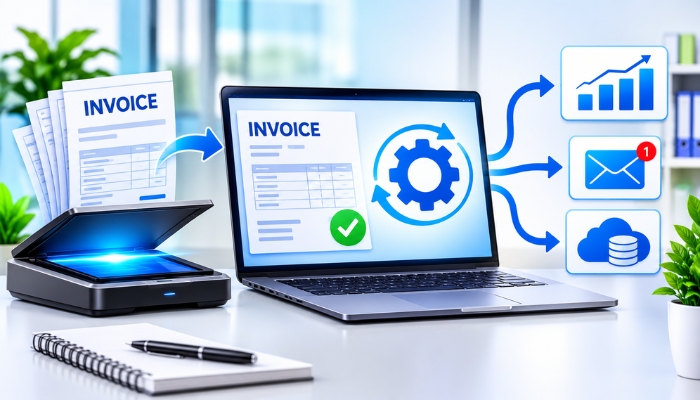
Managing invoices manually can take a lot of time, especially for businesses that handle multiple customers, suppliers, and transactions every day. Employees often need to enter invoice details, check payment information, calculate totals, and update financial records. These repetitive activities can increase workload and create opportunities for human errors.
Automated invoice processing helps businesses simplify these tasks by using software to capture invoice information, organise records, verify details, and support payment workflows. It reduces repetitive manual work and helps teams manage business finances more efficiently.
What Is Automated Invoice Processing?
Automated invoice processing is the use of software and digital tools to manage different stages of invoice handling. Instead of entering every detail manually, businesses can use automation to extract information from invoices, organise data, check important details, and send invoices for approval.
Depending on the software, invoice processing systems may use Optical Character Recognition (OCR), artificial intelligence, database integrations, and workflow automation to handle invoice-related activities.
How Does Automated Invoice Processing Work?
An automated invoice processing system follows a series of steps to manage incoming invoices. The exact process depends on the software and business requirements.
1. Invoice Collection
The process begins when an invoice is received through email, uploaded as a PDF, or added to a business system. The software collects invoice documents and stores them digitally for further processing.
2. Data Extraction
Invoice processing software can use OCR technology to read important information from digital documents or scanned invoices. This may include:
- Invoice number
- Customer or supplier name
- Invoice date
- Product or service details
- Tax amount
- Total payable amount
- Payment due date
3. Data Verification
After extracting information, the system can check invoice details against available business records. It may identify missing information, duplicate invoices, incorrect amounts, or differences between purchase orders and invoices.
4. Invoice Approval
Invoices can be forwarded to the appropriate employees or managers for review and approval. Businesses can create approval workflows based on invoice amounts, departments, or internal policies.
5. Payment and Record Updates
Once an invoice is approved, the system can support payment scheduling or transfer the relevant information to accounting software. Payment execution may still require authorised approval or action, depending on the business process.
Key Features of Invoice Processing Software
Businesses should select invoice automation software according to their daily financial activities and operational requirements.
| Feature | Purpose |
|---|---|
| OCR Technology | Extract information from invoice documents |
| Automatic Data Entry | Reduce repetitive manual information entry |
| Duplicate Detection | Identify invoices that may have been submitted more than once |
| Approval Workflow | Send invoices to the right people for review |
| Payment Tracking | Monitor invoice payment status and due dates |
| Accounting Integration | Connect invoice records with accounting systems |
| Digital Record Storage | Store invoices for future reference |
| Reports and Analytics | Review invoice activity and outstanding payments |
Benefits of Automated Invoice Processing for Businesses
1. Saves Time and Reduces Manual Work
Manual invoice entry requires employees to review documents and enter information repeatedly. Automation can handle many routine activities, allowing teams to focus on other important business responsibilities.
2. Reduces Data Entry Errors
Incorrect invoice numbers, payment amounts, or tax details can create problems during financial management. Automated data extraction and verification can help identify mistakes before invoices move to the next stage. Human review remains important for accuracy.
3. Improves Payment Tracking
Businesses often manage multiple payment deadlines. An invoice management system can organise due dates, approval status, and payment records in one place. This makes it easier for employees to monitor pending invoices.
4. Improves Financial Record Management
Digital invoice storage makes it easier to search for previous transactions and access financial documents. Employees do not need to depend entirely on physical files or separate spreadsheets.
5. Supports Business Growth
As a business grows, the number of invoices and transactions may also increase. An automated system can help manage higher invoice volumes without increasing every manual task at the same rate.
6. Better Team Coordination
Approval workflows help employees understand which invoices are pending, approved, or require corrections. This improves coordination between finance teams, managers, and other departments.
Manual Invoice Processing vs Automated Invoice Processing
Both methods can be used to manage business invoices, but they differ in the amount of manual effort required.
| Comparison | Manual Processing | Automated Processing |
|---|---|---|
| Data Entry | Mostly entered by employees | Can be extracted automatically |
| Invoice Checking | Requires manual review | Can perform rule-based checks |
| Approval | Often handled through emails or paperwork | Can follow digital approval workflows |
| Record Storage | May involve physical files and spreadsheets | Can use centralised digital storage |
| Payment Tracking | May require manual updates | Can display payment status digitally |
| Scalability | Workload increases with invoice volume | Automation can support larger workloads |
How to Choose the Right Invoice Automation Software
Not every business needs the same invoice processing features. Before selecting a solution, consider the following factors:
- Business Requirements: Identify the number of invoices your business handles and the tasks that need automation.
- Integration Options: Check whether the software can connect with your existing accounting, ERP, or business management systems.
- Data Security: Look for appropriate access controls, encryption, backups, and secure document storage.
- Approval Flexibility: Choose a system that supports your organisation's approval rules.
- Reporting Features: Check whether the software provides useful invoice and payment reports.
- Scalability: Select software that can support your future business requirements.
Industries That Can Benefit from Invoice Automation
Automated invoice processing can be useful for businesses across different industries, including:
- Retail Businesses: Manage supplier invoices and purchase records.
- Manufacturing Companies: Handle invoices related to raw materials and production supplies.
- IT Companies: Organise service invoices, subscriptions, and vendor payments.
- E-Commerce Businesses: Manage large volumes of sales and supplier invoices.
- Professional Service Firms: Organise client billing and service-related payments.
- Healthcare Organisations: Manage invoices from suppliers and service providers.
Conclusion
Automated invoice processing helps businesses manage financial documents with less repetitive manual work. Features such as OCR, data extraction, invoice verification, digital approvals, and accounting integration can improve the overall invoice management process.
Choosing the right invoice processing software allows businesses to organise financial records, monitor payment activities, and support smoother daily operations. With the right automation system, companies can build more efficient and organised business workflows.
Technology Xtend provides website and software development solutions for businesses looking to improve their digital operations. A customised software solution can be planned around specific business workflows and integration requirements.