
- Complete IT Solutions for a Digital World
Business Website Development for Companies Managing Multiple Locations
Build a Centralized Business Website to Manage Multiple Locations, Improve Customer Experience and Strengthen Local Online Visibility
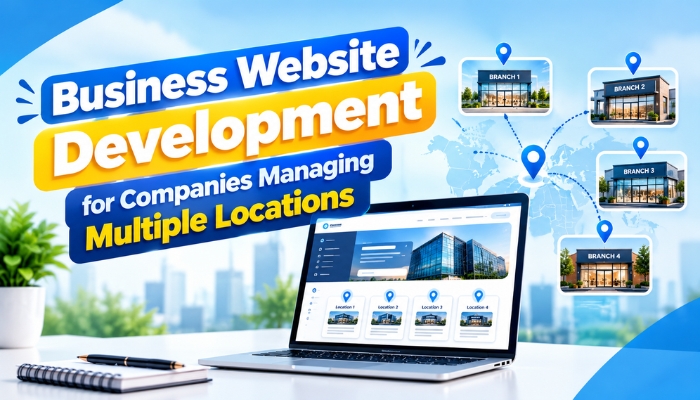
Businesses operating across multiple locations need a website that presents their services consistently while helping customers find the right branch, contact details, and business information. Managing separate websites or updating location details manually can become difficult as a company expands into new areas.
A well-planned business website development strategy helps companies manage their online presence through a centralized platform. It can provide dedicated location pages, consistent branding, branch-specific information, enquiry forms, and other features based on business requirements.
Whether a company operates multiple offices, retail outlets, service centres, or franchise locations, the right website structure can improve customer access to information and simplify website management.
Why Do Multi-Location Businesses Need a Dedicated Website Strategy?
When a business serves customers from different locations, visitors may need different information depending on the branch they want to contact. They may search for nearby services, local contact numbers, opening hours, available products, or directions to a particular office.
A website that displays only general company information may not answer these location-specific questions. A dedicated multi-location website structure allows businesses to organize information in a way that serves both their overall brand and individual branches.
With custom website development, companies can create a website that reflects their operational structure, supports local customer requirements, and provides a consistent experience across all locations.
1. Create Dedicated Pages for Each Business Location
One of the most useful features of a multi-location business website is a dedicated page for every branch or service area that needs its own information.
Each page can include:
- Branch name and complete address
- Location-specific phone number and contact details
- Opening hours and service availability
- Products or services offered at that location
- Directions and an embedded map, where appropriate
- A branch-specific enquiry form or appointment option
For example, a company operating in Delhi, Gurugram, and Noida may create a separate page for each office. Customers can then find the details relevant to their preferred location without navigating through unrelated information.
Well-organized location pages also support local search visibility when they contain useful, accurate, and genuinely location-specific information. Simply creating many pages with nearly identical content is unlikely to provide the same value.
2. Maintain Consistent Branding Across All Locations
Customers should recognize the same business regardless of which branch page they visit. Differences in logos, brand colours, service descriptions, or contact information can create confusion and weaken brand consistency.
A centralized business website design can maintain consistent navigation, visual identity, typography, and messaging while allowing individual branches to display their own details.
For businesses with many locations, reusable page layouts and standardized content fields can help maintain a consistent appearance. The company can update shared information centrally while authorized staff manage branch-specific details when required.
3. Make Location Information Easy to Find
Customers should not have to search through multiple pages to identify the nearest branch or locate its contact information. Clear navigation helps visitors reach the relevant location quickly.
Depending on the number of branches, a website may include:
- A dedicated locations directory
- A searchable branch list
- Location filters based on city or region
- An interactive map showing available branches
- Direct links to individual location pages
Businesses with only a few branches may need a simple directory, while larger organizations may benefit from search and filtering functionality. The structure should match how customers search for and use the company's services.
4. Manage Enquiries From Different Locations
Businesses operating across several branches often need to direct customer enquiries to the correct team. If every enquiry reaches the same inbox without location information, employees may need to manually identify the relevant branch and forward the request.
A custom website can support a more organized enquiry process through features such as:
- Branch-specific contact forms
- Location selection in enquiry forms
- Automatic routing of enquiries to the appropriate team
- Integration with customer relationship management software
- Notifications for new enquiries and appointment requests
- Centralized reporting for management teams
For example, a customer submitting a service request for one city can have the enquiry directed to the responsible branch. This can reduce manual coordination and help the business track enquiries more consistently.
Website development for businesses should consider how enquiries are handled after submission, not just how the website looks to visitors.
5. Support Local SEO for Individual Branches
Customers frequently search online for services available in a specific city or neighbourhood. A multi-location business website can help search engines understand where the company operates and which services are available at each location.
Useful local SEO practices include:
- Creating informative pages for eligible business locations
- Using accurate branch names, addresses, and phone numbers
- Writing original content that explains the services available at each branch
- Adding relevant internal links between location pages and service pages
- Optimizing page titles and meta descriptions naturally
- Maintaining consistent business information across relevant online listings
- Improving mobile usability and page loading performance
Businesses should only publish location pages that represent genuine branches or meaningful service coverage. Avoid creating doorway pages that exist mainly to target different place names without providing useful information.
A professional local SEO website structure can make location information easier to understand, but search rankings depend on several factors, including relevance, competition, website quality, and the accuracy of business information.
6. Ensure the Website Works Well on Mobile Devices
Customers may search for a nearby branch while travelling, compare services on their phones, or contact a business while away from their computers. A website that is difficult to use on smaller screens can create unnecessary barriers.
A responsive website should provide:
- Readable text and properly sized buttons
- Simple navigation between branches
- Clickable phone numbers and email addresses
- Easy access to maps and directions
- Short, usable enquiry forms
- Fast-loading pages and optimized images
Responsive website development helps maintain a consistent experience across smartphones, tablets, and desktop devices. Testing on different screen sizes is important before launching the website.
7. Simplify Website Management With a Centralized Admin Panel
As the number of branches grows, updating website information individually can consume time and increase the risk of mistakes. A centralized administration system can make these tasks easier to manage.
Depending on the company's needs, an admin panel may allow authorized users to:
- Add or update branch details
- Manage service information for individual locations
- Update opening hours and contact details
- Review customer enquiries
- Publish location-specific announcements
- Assign access permissions to branch managers
For example, the head office may control branding and common service descriptions, while branch managers can update their own contact details or local announcements.
A custom website management system can be particularly useful for companies that need different access permissions and approval processes across departments or locations.
8. Connect the Website With Existing Business Systems
Multi-location companies may already use software for sales, customer support, billing, inventory, appointment scheduling, or employee management. When the website operates separately from these systems, teams may need to duplicate information manually.
Depending on technical compatibility and business requirements, the website can integrate with suitable tools through APIs or other supported connections.
Examples include:
- CRM integration for managing customer enquiries
- Booking system integration for location-based appointments
- Inventory integration for displaying branch-level product availability
- Billing system connections for relevant customer transactions
- Analytics tools for evaluating website performance
These integrations should be planned around the company's actual workflow, data security requirements, and existing software capabilities. Not every business needs every integration from the beginning.
9. Plan for Future Business Expansion
A website built for three branches may eventually need to support ten, twenty, or more locations. If the structure depends heavily on manual page creation and inconsistent data entry, expansion can make website management increasingly complicated.
Scalable multi-location website development can use reusable page templates, structured location data, consistent URLs, and centralized management tools to make adding new branches easier.
Before development begins, businesses should consider their expected expansion, the number of users who will manage the website, the need for regional content, and the systems that may need to be integrated later.
Planning for growth does not mean building every possible feature immediately. It means choosing a structure that supports realistic future requirements without adding unnecessary complexity or cost.
Essential Features for a Multi-Location Business Website
| Website Feature | Business Benefit |
|---|---|
| Dedicated location pages | Helps customers find branch-specific information |
| Location directory or search | Makes branch discovery easier |
| Responsive design | Supports visitors using mobile devices and desktops |
| Branch-specific enquiry forms | Helps direct requests to the right location |
| Centralized admin panel | Simplifies information management across branches |
| CRM and API integration | Can reduce duplicate data entry and improve coordination |
| Local SEO structure | Helps search engines understand relevant location information |
| Access permissions | Helps control which staff members can update information |
The final feature list should depend on the company's size, budget, industry, and operational needs.
How to Choose the Right Website Development Company
Selecting a suitable development partner is important when your website needs to support several locations and business processes. Before choosing a provider, evaluate the following areas:
- Requirement analysis: The team should understand your branch structure, customers, and business objectives before proposing a solution.
- Development capabilities: Confirm that the provider can deliver the required location pages, management tools, and integrations.
- Mobile usability: Ask how responsive layouts and usability testing will be handled.
- SEO considerations: Discuss URL structures, metadata, indexing, and the quality of location-specific content.
- Security and access: Clarify user permissions, backups, updates, and data protection measures.
- Ongoing support: Understand how updates, technical issues, and future improvements will be managed.
Before requesting a quote, prepare a list of locations, required website features, existing software integrations, and expected future needs. This helps the development team estimate the scope more accurately.
Business Website Development Services by Technology Xtend
Technology Xtend provides website development solutions for businesses that need a professional online presence and functionality aligned with their operational requirements.
For companies managing multiple locations, the project may involve a centralized website, dedicated branch pages, responsive layouts, enquiry management features, and integrations with suitable business tools, depending on the agreed scope.
If your existing website makes it difficult to manage location details, organize customer enquiries, or introduce new features, reviewing its structure can help identify the right improvements.
Visit Technology Xtend to explore website development services and discuss a website solution suited to your business requirements.
Conclusion
Businesses managing multiple locations need more than a website that simply lists their services. They need a clear structure that helps customers find the right branch, contact the correct team, and access accurate information.
Dedicated location pages, centralized management, mobile responsiveness, local SEO, enquiry routing, and suitable business integrations can make a multi-location website easier to use and maintain.
By defining your requirements before development, you can choose a solution that meets current needs and supports future expansion. A well-planned business website can become a valuable part of how your company communicates with customers across all its locations.