
- Complete IT Solutions for a Digital World
Complete Guide to Progressive Web App Development
Learn how Progressive Web Apps work, their key features, development process, benefits, and technologies used to create app-like website experiences.
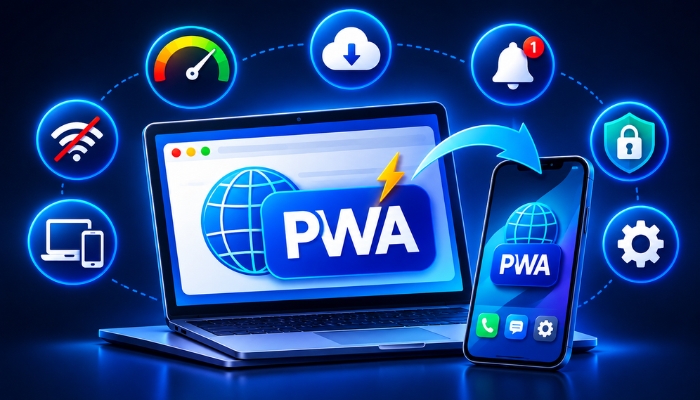
Today, users want websites that load quickly, work smoothly on mobile devices, and provide an easy browsing experience. Businesses are also looking for ways to offer mobile app-like features without developing separate applications for Android and iOS. This is where Progressive Web App Development becomes useful.
A Progressive Web App (PWA) is a website that uses modern web technologies to provide an experience similar to a mobile application. Users can access it through a web browser and, on supported devices, install it on their home screen.
PWAs combine the accessibility of websites with useful features commonly found in mobile applications. They can support offline access, push notifications, fast loading, and responsive layouts.
What Is a Progressive Web App?
A Progressive Web App is a web application designed to work across different devices and browsers. It uses technologies such as HTML, CSS, JavaScript, service workers, and web app manifests to provide an improved user experience.
Unlike traditional mobile applications, users do not always need to download a PWA from an app store. They can visit the website and install it directly when their browser and device support installation.
For example, an online shopping website can be developed as a PWA. Customers can browse products, view information, and receive notifications through supported browser features.
How Does a Progressive Web App Work?
Progressive Web Apps use different web technologies to provide application-like functionality.
1. Service Workers
A service worker is a JavaScript file that runs separately from the main webpage. It helps manage background tasks, caching, offline functionality, and supported push notifications.
2. Web App Manifest
A web app manifest is a JSON file that provides information about the application, including its name, icons, theme colour, and display settings. It helps browsers understand how the application should appear when installed.
3. HTTPS Security
PWAs generally require a secure HTTPS connection to use service workers and other important browser features. HTTPS helps protect information exchanged between the website and its users.
4. Browser Caching
Caching stores selected website resources on a user's device. This can help pages and important content load faster during future visits. It can also support offline experiences when the application is designed for them.
Important Features of Progressive Web Apps
Progressive Web Apps offer several features that make them useful for businesses and customers.
1. App-Like Experience
A PWA can provide an application-like interface with simple navigation, responsive layouts, and a home screen icon. Users can access it without following the traditional app download process.
2. Offline Functionality
One important feature of a PWA is its ability to work without a continuous internet connection. Developers can use service workers and caching to make selected pages and resources available offline.
However, features that require live server data will still need an internet connection.
3. Push Notifications
PWAs can send push notifications on supported browsers and devices, subject to user permission. Businesses can use them to share order updates, reminders, offers, and important announcements.
4. Fast Loading Speed
Progressive Web Apps can use caching and optimized resources to improve loading performance. Faster loading helps users access information without unnecessary waiting.
5. Home Screen Installation
Users can install supported PWAs on their mobile devices or computers. Once installed, the application can appear with its own icon and open in an app-like window.
6. Responsive Design
A PWA is designed to work across different screen sizes, including smartphones, tablets, and desktop computers. Responsive web design makes navigation easier for users on different devices.
Technologies Used in PWA Development
Developers use different technologies to build and manage Progressive Web Apps.
| Technology | Purpose |
|---|---|
| HTML | Creates the structure of web pages. |
| CSS | Controls website design and layout. |
| JavaScript | Adds interactive features. |
| React | Helps build interactive user interfaces. |
| Angular | Provides tools for developing web applications. |
| Vue.js | Supports lightweight and flexible interfaces. |
| Service Workers | Manage caching and background functionality. |
| Web App Manifest | Defines installation and display information. |
| HTTPS | Provides a secure connection. |
The choice of technology depends on the project's requirements, expected users, and application complexity.
Progressive Web App vs Traditional Website
Both traditional websites and PWAs work through web browsers, but they offer different capabilities.
| Feature | Traditional Website | Progressive Web App |
|---|---|---|
| Browser Access | Yes | Yes |
| Home Screen Installation | Usually limited | Supported on compatible devices |
| Offline Access | Limited | Possible with caching |
| Push Notifications | Limited browser support | Supported on compatible platforms |
| App-Like Experience | Depends on design | Designed for this experience |
| Service Workers | Optional | Commonly used |
A Progressive Web App can be a suitable option for businesses that want to improve their website experience with additional application-like features.
Progressive Web App vs Native Mobile App
Businesses often compare PWAs vs Native Mobile Apps before selecting a development approach.
| Feature | Progressive Web App | Native Mobile App |
|---|---|---|
| Development | Web technologies | Platform-specific technologies |
| Installation | Through supported browsers | Usually through app stores |
| Updates | Website updates can be deployed directly | Updates generally require app releases |
| Offline Support | Possible with caching | Can support extensive offline functionality |
| Device Features | Depends on browser support | Broader platform API access |
| Platform Compatibility | Works across supported browsers | Developed for specific platforms |
A PWA is useful when businesses want web accessibility and app-like features. Native applications may be more suitable when a project requires deeper device integration or advanced platform-specific functionality.
Benefits of Progressive Web App Development for Businesses
Progressive Web App Development can help businesses improve their digital services and customer experience.
1. Wider Accessibility
Customers can access a PWA through a web link without first visiting an app store. This makes it easier for businesses to share their services online.
2. Reduced Development Complexity
A PWA can provide experiences across multiple platforms using a shared web application codebase. This may reduce development and maintenance complexity compared with building separate applications.
3. Better User Experience
Fast loading, responsive layouts, and simple navigation can make it easier for customers to interact with a business website.
4. Improved Customer Engagement
Push notifications can help businesses communicate important updates and reminders to users who have granted permission.
5. Easier Content Updates
Businesses can update website content and application features through their web development process. Users can access the latest version when they visit the application.
Common Challenges in PWA Development
Although PWAs offer many benefits, businesses should understand their limitations before starting development.
- Browser Compatibility: Some PWA features work differently across browsers and operating systems.
- Device Limitations: Access to certain hardware and operating system features may be restricted.
- Offline Data Management: Developers need proper caching and data synchronization strategies.
- Security Requirements: Secure hosting, HTTPS, and safe data handling are important.
- Testing Complexity: Applications should be tested on different browsers, screen sizes, and devices.
Understanding these challenges helps developers create a reliable and user-friendly application.
Progressive Web App Development Process
Developing a PWA involves several steps. A planned development process helps ensure that the application meets business requirements.
1. Understand Business Requirements
The first step is to identify the purpose of the application, target audience, required features, and expected performance.
2. Plan the User Interface
Developers create a responsive design that works smoothly across mobile devices, tablets, and desktops.
3. Select Development Technologies
The development team selects suitable frameworks, programming languages, and tools according to the project's needs.
4. Develop the Web Application
The frontend and backend components are developed to manage the user interface, application functionality, and data.
5. Configure Service Workers
Service workers are implemented to manage caching, offline functionality, and supported background features.
6. Create the Web App Manifest
The manifest file is configured with the application name, icons, display settings, and other installation details.
7. Test the Application
The PWA is tested across supported browsers and devices to check loading speed, responsiveness, security, and functionality.
8. Launch and Maintain
After testing, the application is deployed on secure hosting. Regular updates and performance monitoring help maintain its quality.
How Much Does Progressive Web App Development Cost?
The cost of Progressive Web App development depends on the project's size, design, features, technology, and development time.
A basic PWA with limited features generally requires less development effort than a complex business application with user accounts, payment integration, dashboards, and offline data synchronization.
Important factors that influence development cost include:
- Application design and user interface requirements.
- Number of features and application screens.
- Frontend and backend development.
- Database and third-party API integration.
- Security and authentication requirements.
- Testing, deployment, and maintenance.
Businesses should define their requirements before requesting a development estimate. This helps developers understand the project's scope and suggest an appropriate solution.
Who Should Choose Progressive Web App Development?
Progressive Web Apps can be useful for different types of businesses and industries.
- E-Commerce Businesses: Online stores can provide product browsing, shopping features, and order notifications.
- Educational Platforms: Learning websites can offer accessible study materials and selected offline resources.
- Travel Businesses: Travel websites can provide booking information and useful travel details.
- News Platforms: News websites can improve content accessibility and provide notifications.
- Service Businesses: Companies can offer online booking, service information, and customer dashboards.
The right solution depends on the features, customers, and business objectives.
Conclusion
Progressive Web Apps provide a practical way to combine website accessibility with useful mobile application features. They support responsive design, installation on compatible devices, caching, offline functionality, and push notifications on supported platforms.
For businesses, Progressive Web App Development can be a useful approach to improving website performance, customer engagement, and digital accessibility.
Before choosing PWA development, businesses should evaluate their requirements, device compatibility, security needs, and expected features. Working with an experienced web application development company can help build a reliable solution that supports long-term business goals.