
- Complete IT Solutions for a Digital World
How Custom Admin Panels Simplify Business Management
Discover how custom admin panels centralize business operations, manage user roles, automate workflows, and simplify everyday business management.
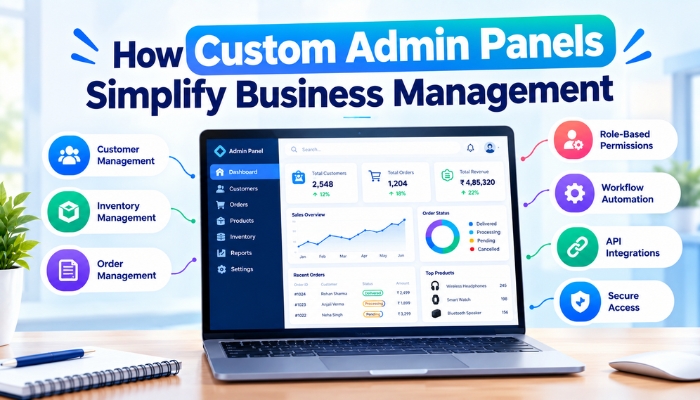
Managing business operations often involves handling customers, employees, products, orders, reports, payments, and internal workflows across different systems. When these activities are managed through disconnected tools, employees may need to switch between multiple platforms to complete routine tasks.
A custom admin panel can bring important business functions into one centralized interface. It can be designed around the specific processes, user roles, and information requirements of a business, making it easier to manage daily operations from a single system.
What Is a Custom Admin Panel?
A custom admin panel is a secure management interface that allows authorized users to control and monitor different parts of a digital application or business system. Unlike a generic dashboard, it can be developed according to the specific requirements of an organization.
Depending on the business model, an admin dashboard can include customer management, employee management, order processing, inventory controls, reports, notifications, payments, permissions, and other operational features.
Centralizing Business Information
One of the main advantages of a custom admin dashboard is centralized information management. Instead of keeping important operational data across several separate tools, businesses can bring relevant information into one connected system.
For example, an admin dashboard can provide access to customer records, orders, leads, payments, and reports from a single interface. This can make it easier for authorized staff to find information and perform daily tasks.
Managing Different Business Functions
Every business has its own operational requirements. Custom business software with a dedicated admin panel can include only the functions that are relevant to the organization.
Common modules may include:
- Customer management
- Employee and staff management
- Lead management
- Product and inventory management
- Order management
- Payment tracking
- Reports and analytics
- Notifications
- Content management
- System settings
By organizing these functions within one platform, businesses can create a more structured approach to managing their operations.
Custom User Roles and Permissions
Different employees may require access to different sections of a business application. A custom admin panel can support role-based permissions so that users only see the features and information relevant to their responsibilities.
For example, an administrator may have access to all modules, while a sales employee may only access leads and customer information. An inventory employee may be given access to products and stock management without accessing sensitive financial information.
Improving Workflow Management
Business processes often involve multiple steps. A business management system with a custom administration interface can organize these steps within a structured workflow.
For example, a lead may move from new inquiry to follow-up, qualified lead, proposal, and conversion. Similarly, an order may move through confirmation, processing, shipping, and completion.
Displaying these stages within the admin panel can help employees understand the current status of different tasks and take appropriate actions.
Making Business Reports Easier to Access
Business owners and managers often need reports to understand operational performance. A custom admin dashboard can present important information through dashboards, tables, charts, and downloadable reports.
Reports can be developed around specific business requirements, such as sales activity, lead performance, order status, employee activity, customer records, or inventory movement.
Reducing Repetitive Administrative Work
Administrative work can involve repeatedly updating records, sending notifications, changing statuses, and preparing reports. A business automation system connected with a custom admin panel can automate selected repetitive activities based on predefined business rules.
For example, an action performed by an employee can automatically update a record, trigger a notification, or change the status of a related task. This can reduce unnecessary manual steps within daily workflows.
Connecting the Admin Panel With Other Systems
A custom admin panel does not necessarily need to operate as an isolated application. API integration can connect it with other business systems and third-party services.
Depending on business requirements, integrations may include payment gateways, CRM systems, accounting platforms, communication services, inventory systems, websites, mobile applications, and other software.
These integrations can allow information to move between connected systems and provide administrators with a more complete view of business activities.
Improving Data Management
Businesses generate large amounts of information through daily operations. A well-designed business management software can provide structured interfaces for adding, editing, searching, filtering, and managing records.
Search and filtering options can make it easier to locate specific customers, orders, products, employees, or transactions without manually reviewing large amounts of data.
Supporting Business Growth
Business requirements can change as an organization grows. A scalable admin panel can be developed with the flexibility to add new modules, user roles, integrations, and workflows when required.
This approach can be useful for businesses that expect their operational processes to become more complex over time. Instead of adapting every process to a generic tool, the management system can evolve around changing business requirements.
Security and Access Control
Admin panels can provide access to sensitive business information, so security is an important consideration during development. Authentication, role-based access control, secure data handling, session management, and activity monitoring can help control access to the system.
Businesses should also consider secure API connections, input validation, regular updates, backups, and appropriate access policies when building and maintaining their administration systems.
Designing an Admin Panel Around Business Requirements
A useful custom admin dashboard should focus on the tasks that employees and administrators actually perform. Unnecessary features can make a dashboard difficult to use, while missing features can force employees to rely on additional tools.
Before development begins, businesses can identify their main workflows, user roles, information requirements, reporting needs, integrations, and future expansion plans. These requirements can then be converted into a structured admin panel development architecture.
Conclusion
Custom admin panels can simplify business management by bringing important operations, information, workflows, reports, and user controls into a centralized system. Instead of depending on multiple disconnected tools, businesses can create a management interface around their specific operational requirements.
With custom modules, role-based permissions, workflow management, reporting, automation, integrations, and scalable architecture, an admin panel development solution can provide a structured foundation for managing growing business operations.