
- Complete IT Solutions for a Digital World
How Online Whiteboards Make Virtual Classes More Interactive
Discover how online whiteboards improve student participation, visual learning, collaboration, and engagement in virtual classrooms.
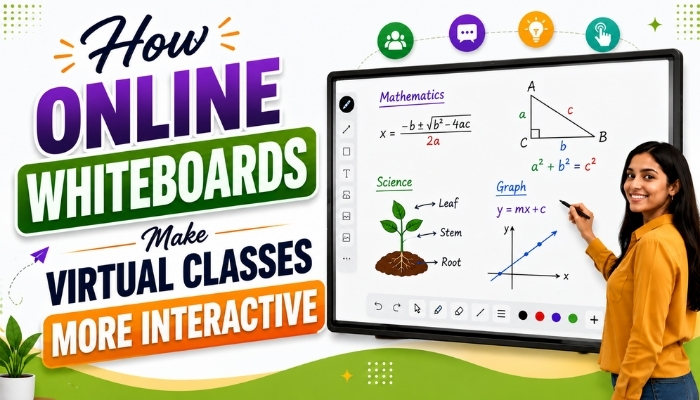
Virtual classrooms have changed the way teachers and students connect. Instead of depending only on video calls and presentations, teachers can now use digital tools to create more engaging learning experiences. One of the most useful tools for this purpose is an online whiteboard.
An online whiteboard provides a digital space where teachers can write, draw, explain concepts, share ideas, annotate documents, and interact with students in real time. It can make a virtual class feel more like a traditional classroom while adding useful digital features.
For schools, tutors, coaching institutes, and education businesses, an interactive whiteboard can become an important part of a modern online teaching platform.
What Is an Online Whiteboard?
An online whiteboard is a digital workspace that allows teachers and students to write, draw, annotate, and collaborate during a live class. Unlike a physical board, it can be accessed through an internet-connected device.
Teachers can use different tools such as pens, shapes, text, erasers, colors, mathematical symbols, and other interactive elements to explain lessons.
Students can also participate by answering questions, solving problems, drawing diagrams, or adding their own ideas to the shared board.
How Online Whiteboards Make Virtual Classes More Interactive
1. Real-Time Writing and Drawing
One of the biggest benefits of an online whiteboard is real-time writing and drawing. Teachers can explain a topic while writing directly on the digital canvas.
For example, a mathematics teacher can solve an equation step by step instead of simply showing the final answer. Similarly, a science teacher can draw diagrams while explaining different parts of a topic.
This makes explanations easier to follow and helps students understand the learning process.
2. Encourages Student Participation
Virtual classes can sometimes become one-sided when students only listen to the teacher. An interactive whiteboard can change this by giving students opportunities to participate.
Students can solve questions, write answers, draw diagrams, highlight important points, or contribute ideas directly on the shared board.
This active participation can make students more involved in the lesson.
3. Makes Difficult Topics Easier to Explain
Some subjects are difficult to explain using only text or slides. Teachers often need diagrams, calculations, flowcharts, or handwritten explanations.
With a digital whiteboard, teachers can create these explanations during the class.
Teachers can use an interactive board to explain:
- Mathematical calculations
- Scientific diagrams
- Grammar structures
- Geographical maps
- Business processes
- Programming concepts
- Flowcharts and problem-solving methods
Visual explanations can make complex information easier to understand.
4. Allows PDF and Document Annotation
Teachers frequently use study materials, worksheets, PDFs, and notes during classes. An online whiteboard can make these materials more interactive by allowing teachers to annotate them.
A teacher can open a document and highlight important sections, underline key information, write notes, or explain specific questions directly on the material.
This can reduce the need to switch between multiple applications during a lesson.
5. Supports Collaborative Learning
Online whiteboards can also support collaboration between teachers and students.
Instead of keeping the board limited to the teacher, a platform can allow multiple participants to contribute to the same workspace.
For example, during a group activity, students can work on different parts of a problem and share their answers on the same digital canvas.
This creates a more collaborative virtual classroom.
6. Useful for Mathematics and Problem Solving
Mathematics often requires step-by-step explanations. Simply displaying an answer may not be enough for students.
With an online whiteboard, teachers can write calculations, draw shapes, create graphs, and explain each step in real time.
This is particularly useful for subjects where handwritten working and visual demonstrations are important.
7. Helps Teachers Explain Concepts Visually
Visual learning can make classroom explanations more engaging. Instead of presenting a long paragraph, teachers can use drawings, arrows, diagrams, shapes, and highlighted areas.
For example, a teacher explaining a business process can create a simple flowchart on the board. A biology teacher can draw a labelled diagram, while a language teacher can highlight sentence structures.
The ability to create visual explanations gives teachers more flexibility during live classes.
8. Keeps Students Focused During Live Classes
Long lectures can make it difficult for students to remain focused. Interactive activities can give students something to do instead of simply watching the screen.
Teachers can ask students to complete a problem, identify an answer, mark a specific area, or contribute to a shared activity.
Regular interaction can help make the classroom more dynamic.
9. Combines Teaching With Other Classroom Tools
A modern virtual classroom usually needs more than just a whiteboard. Teachers may also need video communication, screen sharing, chat, documents, and classroom management features.
When these tools are available together within an online teaching platform, teachers can move between activities without constantly changing applications.
This can create a smoother teaching experience for both instructors and students.
10. Makes Online Teaching More Similar to a Physical Classroom
A physical classroom naturally allows teachers to write on a board, draw diagrams, ask students to solve problems, and interact with the class.
An online whiteboard brings many of these activities into the digital environment.
Teachers can write while speaking, students can participate, and important information can remain visible on the shared canvas throughout the lesson.
Important Features of an Interactive Online Whiteboard
When choosing an online whiteboard for virtual teaching, educational businesses should look beyond basic writing functionality.
Some useful features include:
| Feature | Benefit |
|---|---|
| Real-Time Drawing | Allows teachers and students to write and draw together. |
| Text and Shapes | Helps create structured visual explanations. |
| PDF Annotation | Allows teachers to explain study materials directly. |
| Mathematical Tools | Supports calculations, equations, and diagrams. |
| Multi-User Access | Encourages student participation and collaboration. |
| Screen Sharing | Allows teachers to demonstrate applications and other content. |
| Saving Boards | Helps teachers keep lesson content for future reference. |
| Classroom Integration | Connects the whiteboard with other virtual classroom features. |
How Educational Institutes Can Use Online Whiteboards
Online whiteboards are useful for more than individual tutoring sessions. Educational institutes can use them across different types of classes.
Schools
Teachers can use interactive boards for regular lessons, homework discussions, and revision sessions.
Coaching Institutes
Coaching institutes can use digital whiteboards for live lectures, problem solving, test discussions, and doubt-solving sessions.
Private Tutors
Tutors can use the board to provide personalised explanations and work through questions with individual students.
Professional Training
Training providers can use interactive boards for presentations, workshops, brainstorming, and practical demonstrations.
Online Whiteboard vs Traditional Whiteboard
A traditional whiteboard is useful for physical classrooms, but it has limitations when teaching remotely.
An online whiteboard provides additional digital capabilities such as remote access, multi-user collaboration, document annotation, saving lesson content, and integration with other classroom tools.
This makes it particularly useful when teachers and students are located in different places.
Why Choose an Online Teaching Platform With an Integrated Whiteboard?
Using a separate application for every classroom activity can make teaching more complicated. An integrated online teaching platform can bring important features into one environment.
Teachers can conduct live sessions, communicate with students, share screens, use an interactive whiteboard, and manage classroom activities from a unified platform.
For education businesses, this can also provide a more consistent experience for teachers and learners.
Technology Xtend provides solutions for businesses looking to build feature-rich digital education platforms with interactive classroom capabilities.
Conclusion
An online whiteboard can transform a basic virtual lecture into a more interactive learning experience. Real-time writing, student collaboration, PDF annotation, mathematical tools, visual explanations, and interactive activities give teachers more ways to communicate with learners.
For schools, tutors, coaching institutes, and education businesses, choosing an online teaching platform with strong whiteboard capabilities can help create more engaging and collaborative virtual classrooms.
As digital education continues to grow, interactive whiteboards are becoming an important tool for making virtual teaching more effective, visual, and participatory.