
- Complete IT Solutions for a Digital World
How Screen Sharing and Digital Whiteboards Improve Online Teaching
Learn how screen sharing and digital whiteboards create more interactive, engaging, and collaborative virtual classroom experiences.
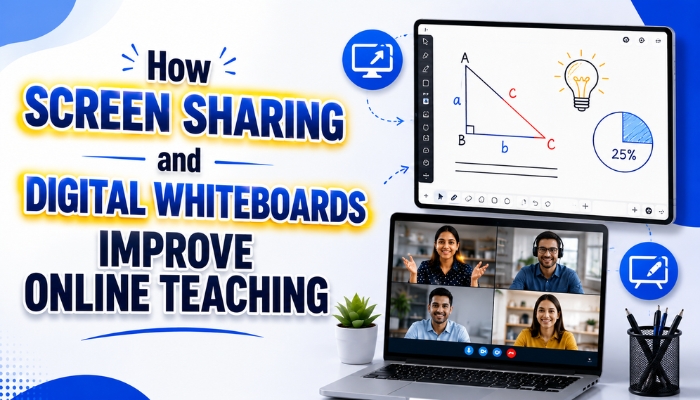
Online teaching has become an important way for teachers, tutors, coaching institutes, schools, and educational businesses to connect with students. However, simply conducting a video class is not always enough to create an engaging learning experience.
Teachers often need to explain concepts visually, demonstrate study materials, solve questions, share educational resources, and interact with students during a live session. Screen sharing and digital whiteboards can make these activities easier and more interactive.
When these tools are combined within an online teaching platform, teachers can create a more organized, engaging, and collaborative virtual classroom.
What Is Screen Sharing in Online Teaching?
Screen sharing allows a teacher to show their computer or device screen to students during a live class. Instead of explaining everything verbally, teachers can show learning materials and educational content directly on their screens.
Teachers can share:
- PDF study materials
- Presentations
- Question papers
- Educational diagrams
- Digital notes
- Maps and charts
- Practice questions
- Other educational resources
This makes demonstrations easier to follow and allows students to see the learning material directly during the class.
What Is a Digital Whiteboard?
A digital whiteboard is an interactive online workspace where teachers can write, draw, highlight, and explain concepts during a live class.
Unlike a traditional classroom board, a digital whiteboard can be accessed remotely by teachers and students. Depending on the platform, multiple users can also interact with the same digital canvas.
Teachers can use pens, shapes, text, mathematical tools, diagrams, and other elements to create visual explanations for students.
How Screen Sharing Improves Online Teaching
1. Makes Educational Demonstrations Easier
Some lessons are difficult to explain using only voice or static presentations. Screen sharing allows teachers to display educational content directly during a live class.
For example, a teacher can display a PDF chapter, question paper, presentation, or educational diagram while explaining the topic to students.
Students can follow the teacher's explanation while viewing the same material on their screens.
2. Helps Teachers Share Learning Materials
Teachers regularly use PDFs, presentations, worksheets, notes, and other educational resources during lessons.
With screen sharing, these materials can be displayed directly during a live session. Teachers can explain important sections while students follow along with the shared content.
This can make online lessons more organized and easier to understand.
3. Supports Different Educational Subjects
Screen sharing can be useful across different educational subjects and learning activities.
- Mathematics classes
- Science lessons
- English and language classes
- Social science lessons
- Competitive exam preparation
- School and college classes
- Coaching institute classes
- Homework and doubt-solving sessions
Teachers can share relevant study materials and explain them during live sessions.
How Digital Whiteboards Improve Online Teaching
1. Provides Real-Time Writing and Drawing
A digital whiteboard allows teachers to write and draw while speaking to students.
For example, a mathematics teacher can solve an equation step by step. A science teacher can draw a diagram, while a language teacher can write examples and highlight important words.
This creates a more natural teaching process and allows students to follow each step of the explanation.
2. Makes Complex Topics Easier to Understand
Some educational concepts require visual explanations. Long text or static presentations may not provide enough clarity.
With a digital whiteboard, teachers can create diagrams, flowcharts, calculations, illustrations, and other visual explanations during the class.
This gives teachers greater flexibility when explaining difficult topics.
3. Encourages Student Participation
A digital whiteboard does not have to be limited to teacher use. Interactive platforms can allow students to participate on the shared canvas.
Students can:
- Solve questions
- Write answers
- Draw diagrams
- Highlight important information
- Complete classroom activities
- Share their ideas
This can turn a one-way lecture into a more interactive learning experience.
Why Combine Screen Sharing With Digital Whiteboards?
Screen sharing and digital whiteboards serve different purposes, but they can work effectively together.
Screen sharing is useful when the teacher needs to display educational material, while a digital whiteboard is useful for writing, drawing, explaining, and interacting with students.
For example, a teacher can share a PDF question paper on the screen and then use the digital whiteboard to solve specific questions step by step.
Similarly, a science teacher can display a study diagram and use the digital whiteboard to label and explain different parts of the diagram.
This combination gives teachers more ways to explain the same topic.
Benefits of Using Both Tools in a Virtual Classroom
| Tool | Primary Use | Teaching Benefit |
|---|---|---|
| Screen Sharing | Showing educational content | Makes study materials easier to follow |
| Digital Whiteboard | Writing and drawing | Supports visual explanations |
| PDF Annotation | Marking study materials | Makes documents more interactive |
| Mathematical Tools | Solving equations and problems | Supports step-by-step teaching |
| Multi-User Canvas | Student collaboration | Encourages active participation |
How Teachers Can Use Screen Sharing and Digital Whiteboards Together
Mathematics Classes
A teacher can display a question through screen sharing and then solve it step by step on the digital whiteboard. Students can follow each calculation and understand the complete solution process.
Science Classes
Teachers can display educational material and use the whiteboard to draw diagrams, label important parts, and explain scientific concepts visually.
English and Language Classes
Teachers can display reading material and use the whiteboard to highlight grammar rules, vocabulary, sentence structures, and important points from the lesson.
Social Science Classes
Teachers can share maps, historical images, charts, and study materials while using the digital whiteboard to highlight important locations, dates, events, and concepts.
Competitive Exam Preparation
Teachers can display previous-year questions, practice questions, and study materials through screen sharing while solving them on the digital whiteboard.
School and College Classes
Teachers can use screen sharing and digital whiteboards for regular lessons, assignments, revision sessions, presentations, and doubt-solving classes.
Important Features to Look for in an Online Teaching Platform
If an educational business is planning to use screen sharing and digital whiteboards, it is important to choose a platform that provides useful classroom features in one place.
Some important features include:
- Real-time digital whiteboard
- Screen sharing
- PDF annotation
- Text and drawing tools
- Mathematical tools
- Multi-user collaboration
- Live video communication
- Classroom chat
- Lesson content management
- Secure user access
Having these features together can make live teaching easier for instructors and more convenient for students.
Why Integrated Teaching Tools Matter
Using multiple separate applications during a class can interrupt the teaching flow. Teachers may need to switch between video meeting software, presentation tools, digital whiteboards, document viewers, and communication applications.
An integrated online teaching platform can bring these functions together.
Teachers can conduct live classes, share their screens, use a digital whiteboard, communicate with students, and explain learning materials without constantly switching between different tools.
This can help create a smoother and more organized virtual classroom experience.
How Technology Xtend Supports Interactive Online Teaching
Technology Xtend provides an online teaching platform designed to support interactive virtual classrooms.
The platform can bring together features such as real-time digital whiteboards, screen sharing, live communication, PDF annotation, mathematical tools, and other classroom capabilities.
For educational businesses, coaching institutes, tutors, schools, and organizations looking to develop a feature-rich virtual classroom, having these tools within one platform can make online teaching more structured and interactive.
Conclusion
Screen sharing and digital whiteboards can improve the way teachers conduct virtual classes. Screen sharing makes educational materials easier to present, while digital whiteboards support real-time writing, drawing, collaboration, and visual explanations.
When these tools are combined with other classroom features through an online teaching platform, teachers can create a more interactive and engaging learning environment.
For schools, tutors, coaching institutes, and education businesses, choosing the right combination of digital teaching tools can help deliver a smoother and more effective virtual classroom experience.