
- Complete IT Solutions for a Digital World
Online Teaching Platform with Custom Domain and Mobile Apps
Custom Branding and Mobile Accessibility for Modern Online Education
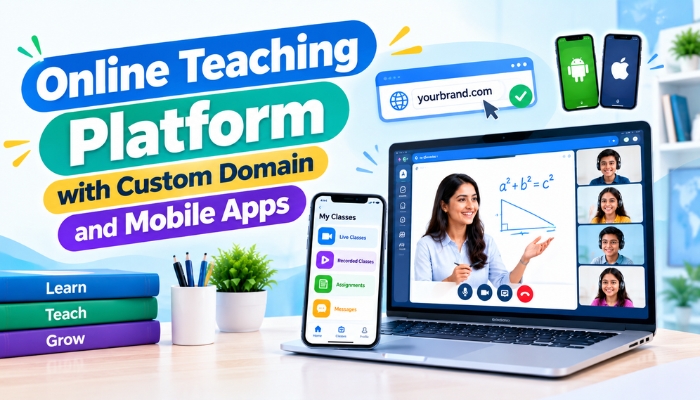
Online education has become an important part of modern teaching, coaching, and academic learning. Teachers and educational institutes need more than basic video meeting tools to manage live classes, student communication, learning resources, and digital content effectively. An online teaching platform with custom domain and mobile apps can provide a more professional, branded, and accessible learning experience.
With features such as a custom domain, branded portals, Android and iOS applications, interactive whiteboards, video classes, chat, quizzes, recordings, and file sharing, educators can create a centralized environment for online teaching.
What Is an Online Teaching Platform with a Custom Domain?
A custom domain allows an educational platform to operate under a domain selected by the institute or education business instead of using a generic platform address. For example, an institute can use its own website address for students and teachers to access the online classroom.
This creates a consistent digital identity and makes it easier for students to recognize and access the institute's online learning environment.
Why Custom Domain Matters
- Creates a professional online identity
- Strengthens institute branding
- Makes the platform easier to remember
- Provides a dedicated learning portal
- Creates a consistent experience across website and classroom
- Supports a more organized online education ecosystem
Benefits of Mobile Apps for Online Teaching
Students and teachers increasingly access educational content through smartphones and tablets. Mobile applications make it easier to attend classes, communicate with teachers, review learning materials, and access recorded sessions from different locations.
| Mobile App Feature | Benefit |
|---|---|
| Live Classes | Students can attend online classes directly from their smartphones. |
| Class Recordings | Recorded sessions can be accessed for revision and missed classes. |
| Chat | Teachers and students can communicate within the learning environment. |
| File Sharing | Study materials, PDFs, assignments, and other resources can be shared digitally. |
| Notifications | Students can receive important class and learning updates. |
| Interactive Tools | Teachers can use digital teaching features during online sessions. |
Custom Branding for Educational Institutes
Branding plays an important role when an institute moves its teaching activities online. A customized platform can provide a branded login portal, custom domain, institute identity, and mobile applications that maintain a consistent look and feel.
Instead of directing students to multiple third-party services, an institute can bring important teaching activities into one centralized environment.
Features to Look for in an Online Teaching Platform
Choosing the right platform requires looking beyond live video classes. A complete online teaching solution should support different requirements of teachers, students, administrators, and educational organizations.
| Feature | Purpose |
|---|---|
| Interactive Whiteboard | Helps teachers explain concepts through real-time writing, diagrams, shapes, and annotations. |
| Video and Audio | Supports live interaction between teachers and students. |
| Screen Sharing | Allows teachers to present applications, documents, websites, and other content. |
| Live Chat | Supports classroom communication and student interaction. |
| Quizzes and Polls | Helps teachers conduct interactive activities during live sessions. |
| Recording | Allows students to revisit completed classes. |
| PDF and File Sharing | Makes learning resources available within the online classroom. |
| Role-Based Controls | Provides different access levels for administrators, teachers, and students. |
| Mobile Applications | Provides convenient access through Android and iOS devices. |
| Custom Domain | Creates a dedicated and branded online learning portal. |
How Mobile Apps Improve Student Accessibility
Mobile applications remove the need for students to depend on a desktop or laptop for every learning activity. They can access classes and educational resources using devices they already use regularly.
This is particularly useful for students who need to switch between different devices throughout the day. A mobile-friendly learning environment can make online education more convenient and accessible.
Access Learning from Different Locations
Students can join live classes, view recordings, read shared resources, and communicate with teachers from different locations. This flexibility can make digital learning easier to manage alongside other academic responsibilities.
Creating a Unified Online Classroom Experience
A strong online teaching platform brings multiple classroom functions together. Teachers may need video communication, whiteboard tools, screen sharing, chat, quizzes, file sharing, and recordings during the same learning process.
When these features are available within one platform, teachers can spend less time switching between different applications and focus more on delivering their lessons.
Custom Domain and Mobile Apps for Institute Branding
For coaching institutes, educators, and education businesses, an online platform can become an extension of their existing brand. A custom domain creates a dedicated digital destination, while branded mobile applications can provide students with convenient access to the learning environment.
This combination can help create a more consistent experience across the institute's website, online classroom, student portal, and mobile applications.
Why Institutes Should Consider a Branded Online Teaching Platform
- Builds a professional digital presence
- Provides students with a dedicated learning environment
- Improves accessibility through mobile applications
- Centralizes online teaching features
- Supports branded student and teacher portals
- Provides greater control over the online classroom experience
- Allows institutes to expand their digital education services
Conclusion
An online teaching platform with custom domain and mobile apps can help teachers and educational institutes create a professional and accessible digital learning environment. Custom domains support stronger branding, while mobile applications make online classes and learning resources easier to access.
When combined with interactive whiteboards, live video, screen sharing, chat, quizzes, file sharing, recordings, and role-based controls, these features can create a more complete online teaching ecosystem for modern educators and institutes.