
- Complete IT Solutions for a Digital World
Role of Website Dashboards in Daily Business Management
Discover how website dashboards help businesses manage daily operations, track sales, organize customer information, monitor employee activities, and impro
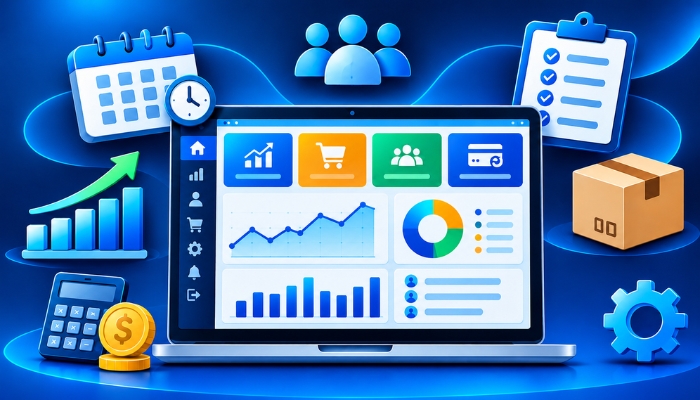
Managing daily business activities requires proper planning, accurate information, and regular monitoring. Businesses handle different operations such as customer enquiries, sales, orders, payments, employee tasks, inventory, and reports. When this information is stored in different files or applications, managing everything can become time-consuming.
A website dashboard provides a central place where businesses can access and manage their important information. It displays useful data in an organized format and allows employees and business owners to monitor daily activities without switching between multiple systems.
Whether a company operates in retail, education, healthcare, real estate, or professional services, a well-developed business dashboard can support its daily working process. It also helps businesses maintain better records, understand performance, and manage different departments more efficiently.
What Is a Website Dashboard?
A website dashboard is a central interface that displays important business information through charts, tables, reports, notifications, and management tools. It allows authorized users to view records, monitor activities, update information, and perform daily tasks from one platform.
For example, a business dashboard can display new customer enquiries, completed orders, pending payments, total sales, employee activities, and monthly performance reports. Instead of collecting information manually, employees can access the required details through a single system.
Businesses can also develop custom dashboards according to their industry, company size, and operational requirements. This makes it easier to create a management system that supports specific business activities.
How Website Dashboards Help in Daily Business Management
1. Manage Business Information in One Place
A dashboard brings important business information together. Employees do not need to open multiple files or applications to check daily records. They can access customer details, sales information, orders, employee records, and other important data from one platform.
Keeping information organized also makes it easier to find previous records and update existing details. Business owners can review important information whenever required and maintain better control over daily business operations.
2. Monitor Sales and Business Performance
Sales information helps businesses understand their daily performance. A dashboard can display total sales, completed orders, pending transactions, monthly revenue, and other useful business details.
Business owners can compare performance across different periods and identify changes in sales activities. These business performance reports can also help management understand which products or services are receiving more attention from customers.
3. Track Customer Enquiries and Follow-Ups
Managing customer enquiries is important for businesses that receive leads through websites, phone calls, social media, and other communication channels. Without a proper system, some enquiries may remain unanswered or follow-ups may be delayed.
A business dashboard can display new enquiries, customer contact details, assigned employees, follow-up dates, and enquiry status. Employees can update records after every interaction and keep customer information organized.
This system is especially useful for real estate companies, educational institutes, service providers, and businesses that regularly communicate with potential customers.
4. Improve Employee Task Management
Business dashboards can help managers assign responsibilities and monitor employee activities. Employees can check their assigned tasks, update progress, and view pending work through the same platform.
Managers can review completed activities, identify delayed tasks, and distribute responsibilities according to team requirements. This improves coordination between employees and makes daily work management easier to monitor.
5. Access Business Reports Quickly
Preparing business reports manually can take time, especially when information is collected from different departments. A dashboard can present important data through tables, charts, graphs, and summary reports.
Businesses can review sales, expenses, customer activity, orders, and other records to understand their operations more clearly. Reports also help management identify areas that may need improvement.
6. Manage Orders and Inventory Records
Businesses that sell products need to monitor orders, available stock, completed deliveries, and pending shipments. A website dashboard can help organize these activities and provide updated inventory information.
Employees can check product availability, update stock quantities, review new orders, and monitor delivery status. This can reduce confusion between sales and inventory teams and support better order management.
7. Reduce Repetitive Manual Work
Many business activities involve repetitive tasks such as updating customer records, preparing reports, checking payments, and managing order information. A properly developed dashboard can simplify several of these activities.
Features such as automatic calculations, data filtering, notifications, and report generation can reduce unnecessary manual work. Employees can spend more time on important responsibilities instead of repeatedly collecting and organizing information.
8. Improve Communication Between Departments
In many companies, different departments work with the same customer or business information. For example, the sales team may collect customer details while the accounts team manages payments and the service team handles customer requests.
A centralized business dashboard can provide authorized employees with access to relevant information. This helps departments coordinate their activities and reduces communication gaps caused by outdated or incomplete records.
Important Features of a Business Website Dashboard
A useful business dashboard should include features that match the company's daily working process. The requirements may differ depending on the type of business, number of employees, and services offered.
| Dashboard Feature | Business Use |
|---|---|
| User Management | Manage employee accounts, roles, and access permissions. |
| Sales Overview | Monitor sales activities, completed orders, and revenue records. |
| Customer Management | Store customer information and maintain communication records. |
| Task Management | Assign responsibilities and track daily work progress. |
| Payment Tracking | Check received payments and pending transactions. |
| Reports and Analytics | Review business performance through organized reports. |
| Inventory Management | Monitor available stock and product movement. |
| Notifications | Receive updates about important business activities. |
| Data Search and Filters | Find specific records without checking every entry manually. |
| Security and Permissions | Control access to business information according to user roles. |
Types of Businesses That Can Benefit from Website Dashboards
Website dashboards are useful for different industries because every business needs a way to organize information and monitor its activities. Custom dashboard development allows companies to select features based on their specific requirements.
1. Retail and E-Commerce Businesses
Retailers and online stores can use dashboards to manage product information, customer orders, inventory, payments, and delivery updates. Business owners can review sales records and monitor order activities through a centralized system.
2. Educational Institutes
Schools, colleges, and coaching institutes can use dashboards to manage student information, admissions, attendance, fee records, examination details, and employee activities. A customized management dashboard can help administrative teams organize their daily responsibilities.
3. Real Estate Companies
Real estate businesses can manage property details, customer enquiries, site visit schedules, sales activities, and follow-up records through a dedicated dashboard. It can also help employees track leads and maintain updated property information.
4. Healthcare and Service Providers
Healthcare organizations and service-based businesses can use dashboards to organize appointments, customer information, staff schedules, and service records. Access permissions should be configured carefully when handling confidential information.
5. Small and Growing Businesses
Small businesses often manage different activities with limited resources. A custom business dashboard can help them organize customer records, invoices, employee tasks, and business reports without depending on multiple disconnected tools.
Why Do Businesses Need Custom Website Dashboards?
Every business follows a different working process. A retail company may need inventory and order tracking, while a service company may require customer enquiries, employee assignments, and appointment management.
Ready-made dashboards may provide general features, but they may not support every business requirement. Custom website dashboards allow companies to select the features they actually need and create a system according to their working process.
Businesses can also integrate different tools, add new modules, and modify dashboard functionality as their requirements change. This flexibility makes custom software development a useful option for companies planning long-term digital improvements.
Important Factors to Consider Before Developing a Business Dashboard
Before developing a dashboard, businesses should understand their operational requirements and identify the information they need to manage regularly. A clear development plan can help create a useful and easy-to-operate system.
- Simple Interface: The dashboard should have a clean layout so employees can easily find important information.
- Mobile Responsiveness: Users should be able to access important dashboard features through mobile phones, tablets, and computers.
- Data Security: Login protection, user permissions, and secure data handling should be included.
- Useful Reports: Reports should display relevant business information in an understandable format.
- Integration Options: The dashboard should support required business tools and third-party services.
- Future Expansion: The system should allow additional features and modules as the business grows.
- Regular Maintenance: Updates, backups, and performance monitoring help keep the dashboard reliable.
How a Well-Designed Dashboard Supports Business Growth
Business growth requires proper coordination, organized information, and the ability to understand daily performance. A website dashboard supports these activities by providing a clear view of important business operations.
When employees can access updated records, managers can monitor activities, and business owners can review reports, it becomes easier to identify operational requirements. Companies can also use historical information to understand customer activity, review sales patterns, and plan future improvements.
A dashboard does not replace business planning or management decisions. However, it provides organized information that can support better business decision-making and improve coordination across different departments.
Choose the Right Website Dashboard Development Solution
A well-designed dashboard should be simple to use, secure, responsive, and suitable for business requirements. It should provide relevant information without making the interface complicated. The development process should focus on the company's actual working needs rather than adding unnecessary features.
Technology Xtend provides website development and custom software solutions to help businesses build digital systems according to their operational requirements. From business dashboards to customized management platforms, the right development solution can make daily business activities easier to manage.
Whether you need a customer management dashboard, sales tracking system, employee management platform, or a customized business portal, choosing the right development approach can help organize your operations.
Conclusion
A website dashboard plays an important role in managing daily business activities by bringing essential information, reports, and management tools together in one place. It helps businesses track sales, manage customer enquiries, monitor employee tasks, organize records, and review overall performance.
With the right business dashboard development approach, companies can simplify repetitive tasks, improve coordination between departments, and maintain better control over their operations. A customized solution also allows businesses to add features according to their changing requirements.
Investing in a well-planned custom website dashboard can help businesses build more organized and efficient working processes. Technology Xtend offers website development and custom software development solutions to support businesses in creating digital platforms that match their operational needs.
Build a better way to manage your business with Technology Xtend.