
- Complete IT Solutions for a Digital World
Ways to Protect Business Websites from Cyber Threats
Discover effective ways to protect business websites from cyber threats, prevent data theft, improve website security, and build customer trust.
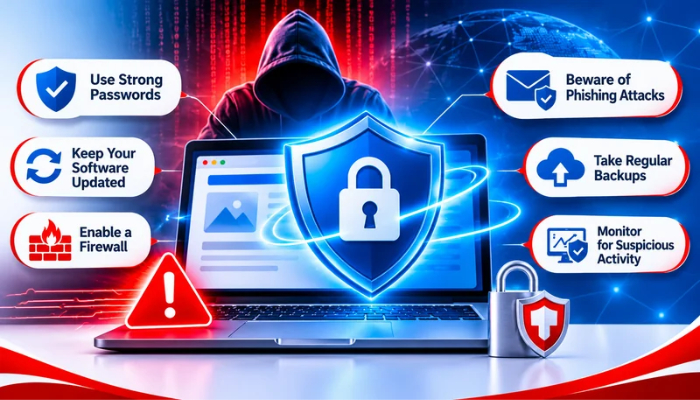
A business website plays an important role in building an online presence, connecting with customers, and managing business activities. Many companies use their websites to collect customer enquiries, process payments, share information, and provide online services. However, websites can also become targets of cyber threats such as hacking, malware, phishing, and data theft.
A single security issue can affect website performance, damage customer trust, and put important business information at risk. Therefore, every business should follow proper website security practices to protect its website and customer data.
Let's explore some effective ways to protect business websites from cyber threats.
1. Use a Secure Hosting Service
Website hosting plays an important role in website security. A reliable hosting provider offers security features that help protect websites from common online attacks.
Before choosing a hosting service, check whether it provides:
- Regular server security updates.
- Malware scanning and protection.
- Firewall protection.
- Secure server configurations.
- Regular backup facilities.
- Technical support for security issues.
Choosing secure web hosting services can help reduce security risks and improve website reliability.
2. Install an SSL Certificate
An SSL certificate helps protect information transferred between a website and its visitors. It enables HTTPS encryption, which makes it harder for attackers to read data during transmission.
Websites with SSL certificates display HTTPS instead of HTTP in their web addresses.
SSL certificates are especially important for websites that collect:
- Customer registration details.
- Contact form information.
- Login credentials.
- Payment-related information.
- Personal customer data.
A secure HTTPS connection also helps visitors feel more confident while using a website.
3. Keep Website Software Updated
Outdated website software can create security weaknesses that attackers may exploit. Content management systems, plugins, themes, frameworks, and other website components should be updated regularly.
Website owners should:
- Install available security updates.
- Update plugins and themes.
- Remove unused extensions.
- Use supported software versions.
- Check for known security vulnerabilities.
Regular website maintenance helps keep website components updated and reduces the risk of security problems.
4. Use Strong Passwords and Secure Login Systems
Weak passwords are one of the common reasons behind unauthorized website access. Business websites should use strong passwords and secure login methods to protect administrator accounts.
Some useful practices include:
- Create long and unique passwords.
- Avoid using common passwords.
- Enable two-factor authentication (2FA).
- Limit administrator access.
- Change passwords if suspicious activity is detected.
- Avoid sharing login credentials with multiple users.
Businesses should also limit login attempts to reduce the risk of password-guessing attacks.
5. Install a Website Firewall
A Web Application Firewall (WAF) helps monitor and filter incoming website traffic. It can identify and block certain malicious requests before they reach the website application.
A website firewall can help protect against:
- SQL injection attacks.
- Cross-site scripting (XSS).
- Malicious traffic.
- Suspicious requests.
- Some automated attacks.
Using a suitable firewall solution adds another layer of protection to business websites.
6. Take Regular Website Backups
Website backups are important for recovering data after unexpected problems. Cyberattacks, server failures, accidental changes, and technical errors can affect website files and databases.
Businesses should maintain regular backups of:
- Website files and folders.
- Databases.
- Customer-related information.
- Website configurations.
- Important application data.
Keep backup copies in a separate secure location and test the restoration process regularly. This helps businesses recover their websites more effectively if something goes wrong.
7. Protect Websites from Malware
Malware is harmful software that can affect website files, collect sensitive information, redirect visitors, or damage website functionality.
Businesses should regularly scan their websites for suspicious files and activities.
Some useful security practices include:
- Use trusted plugins and software.
- Scan website files regularly.
- Remove suspicious scripts.
- Monitor unexpected website changes.
- Use malware detection tools.
- Fix security issues as soon as they are identified.
Early detection can help prevent small security problems from becoming major website issues.
8. Secure Contact Forms and Customer Data
Business websites often collect customer information through contact forms, registration pages, enquiry forms, and online applications.
If these forms are not properly protected, attackers may misuse them to send spam, inject malicious data, or target website applications.
Businesses should consider:
- Using CAPTCHA or similar spam protection.
- Validating form inputs.
- Applying server-side data validation.
- Encrypting sensitive information.
- Restricting access to customer records.
- Collecting only necessary customer information.
Proper form security helps protect both business systems and customer information.
9. Monitor Website Traffic and Suspicious Activities
Regular website monitoring helps businesses identify unusual activities before they cause serious problems.
Website owners should pay attention to:
- Unexpected login attempts.
- Unusual traffic increases.
- Unknown administrator accounts.
- Suspicious file modifications.
- Unexpected redirects.
- Unusual server resource usage.
Security monitoring tools and website activity logs can help identify suspicious behaviour and support faster action.
10. Choose Secure Website Development Practices
Website security should be considered from the beginning of the development process. A website with poor coding practices or insecure configurations may create opportunities for cyberattacks.
Professional website development should include:
- Secure coding practices.
- Proper user authentication.
- Safe database queries.
- Input validation.
- Access control management.
- Secure API integration.
- Regular security testing.
Businesses planning a new website or custom web application should choose a development team that understands the importance of security.
Common Cyber Threats That Affect Business Websites
Different cyber threats can affect business websites in different ways. Understanding these risks helps businesses take suitable preventive measures.
| Cyber Threat | Possible Impact |
|---|---|
| Malware | Damages website files and affects functionality. |
| Phishing | Tricks users into sharing sensitive information. |
| SQL Injection | Targets databases through malicious queries. |
| DDoS Attacks | Makes websites slow or unavailable. |
| Brute Force Attacks | Attempts to access accounts using repeated password guesses. |
| Cross-Site Scripting (XSS) | Injects harmful scripts into web pages. |
| Data Theft | Exposes confidential business or customer information. |
Benefits of Maintaining Strong Website Security
Website security is not only about preventing cyberattacks. It also helps businesses maintain customer confidence and manage their online operations safely.
- Better Customer Trust: Visitors feel more confident when using a secure website.
- Data Protection: Security measures help protect important business and customer information.
- Reduced Downtime: Proper security and backups support faster recovery from technical problems.
- Business Continuity: A secure website helps maintain regular online operations.
- Better Website Reliability: Regular updates and monitoring help improve website stability.
- Protection of Business Reputation: Preventing security incidents helps maintain a positive online image.
Conclusion
Protecting a business website from cyber threats requires regular attention, proper security tools, and responsible website management. Businesses should use secure hosting, SSL certificates, strong passwords, website firewalls, regular backups, and updated software to reduce security risks.
Whether a company operates a small business website, an e-commerce platform, or a custom web application, website security should always be an important part of its digital strategy.
Technology Xtend provides IT solutions, including website development, software development, mobile app development, and other digital services to support business technology requirements. Building and maintaining a secure website is an important step towards creating a reliable online presence.