
- Complete IT Solutions for a Digital World
Website Security Features Every Business Should Consider
Essential website security features businesses should use to protect data, customers, and online operations.
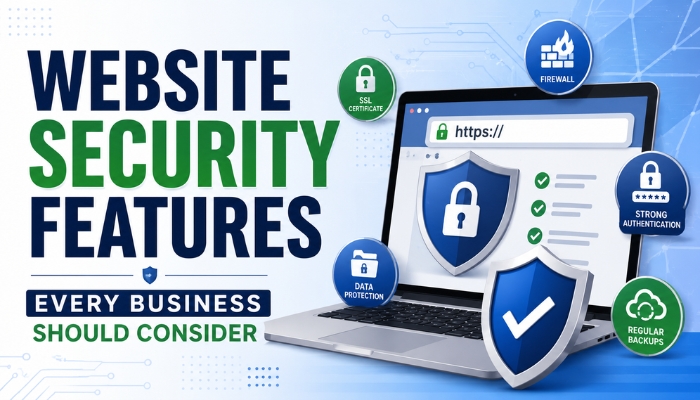
A business website is more than an online presence. It can store customer information, collect enquiries, process payments, manage accounts, and connect with important business systems. Because of this, website security should be a priority for every business, regardless of its size.
A secure website helps protect business data, customer information, and online operations from common security threats. Strong website security features can also improve customer trust and provide a safer browsing experience.
Why Website Security Is Important for Businesses
A website can become a target for attackers when security measures are weak or outdated. Security problems can lead to data exposure, unauthorized access, website downtime, financial losses, and damage to a company’s reputation.
Strong website security helps businesses:
- Protect customer information
- Secure business data
- Prevent unauthorized access
- Reduce security risks
- Protect online transactions
- Maintain website availability
- Build customer trust
- Support privacy and security requirements
Security should be considered during website development and continued throughout the website’s lifecycle.
1. SSL/TLS Certificate
An SSL/TLS certificate encrypts information exchanged between a visitor's browser and the website server.
This is especially important when users submit:
- Login details
- Contact information
- Payment information
- Registration forms
- Personal data
Websites using HTTPS provide an encrypted connection that helps prevent unauthorized parties from reading data while it is being transmitted.
2. Secure User Authentication
Websites that provide customer or employee accounts should use strong user authentication mechanisms.
Important practices include:
- Strong password requirements
- Secure password storage
- Account lockout or rate limiting
- Session management
- Multi-factor authentication
- Secure password reset processes
For websites containing sensitive information, multi-factor authentication (MFA) can provide an additional layer of protection beyond passwords.
3. Role-Based Access Control
Not every employee needs access to every part of a website or admin panel. Role-based access control (RBAC) allows businesses to provide different permissions to different users.
| User Role | Possible Access |
|---|---|
| Administrator | Complete website management |
| Manager | Reports and selected management functions |
| Staff Member | Assigned operational features |
| Content Editor | Content management |
| Customer | Personal account and customer features |
Limiting access helps reduce the potential impact of compromised accounts.
4. Secure Database Protection
Business websites often store important information in databases. This may include customer records, product information, enquiries, orders, and account details.
Database security should include appropriate access controls, secure configuration, encryption where appropriate, and protection against unauthorized queries.
Developers should also follow secure coding practices to reduce risks such as SQL injection.
5. Regular Software Updates
Outdated website software can contain known security vulnerabilities. Businesses should regularly update:
- CMS platforms
- Plugins
- Themes
- Frameworks
- Libraries
- Server software
- Security components
Regular website security updates can help address known vulnerabilities and improve overall website protection.
6. Secure Payment Processing
Ecommerce websites need additional security because they handle financial transactions.
Businesses should use trusted payment gateways and avoid storing sensitive payment information unnecessarily.
A secure payment process should include:
- HTTPS
- Trusted payment providers
- Secure checkout
- Appropriate access controls
- Transaction monitoring
- Regular security reviews
7. Website Firewall and Security Monitoring
A Web Application Firewall (WAF) can help filter and monitor potentially harmful web traffic before it reaches the application.
Website security monitoring can also help businesses identify:
- Suspicious login attempts
- Unusual traffic
- Repeated failed requests
- Unauthorized changes
- Unexpected server activity
Early detection can make it easier to investigate and respond to security incidents.
8. Regular Website Backups
Even with strong security controls, businesses should prepare for unexpected incidents. Regular website backups can help recover from situations such as:
- Malware infections
- Accidental data deletion
- Server failures
- Website configuration problems
- Failed updates
- Security incidents
Backups should be stored securely and tested periodically to make sure they can actually be restored.
9. Protection Against Common Web Attacks
A professionally developed website should be designed to reduce common web security vulnerabilities.
These can include:
- SQL Injection
- Cross-Site Scripting (XSS)
- Cross-Site Request Forgery (CSRF)
- Broken authentication
- Insecure access controls
- File upload vulnerabilities
- Security misconfigurations
Developers should follow secure web development practices and regularly test important website functionality.
10. Secure File Uploads
Websites that allow users or employees to upload files require additional security controls.
For example, a website may allow users to upload:
- Documents
- Profile images
- Application forms
- Product images
- Business files
The website should validate file types and sizes and store uploaded files securely. Upload functionality should never automatically trust files simply because they have a particular file extension.
11. Strong Admin Panel Security
The website's administration panel is one of the most important areas to protect.
Businesses should consider:
- Strong administrator passwords
- MFA
- Restricted administrative access
- Secure sessions
- Login monitoring
- Regular account reviews
- Removal of unused administrator accounts
Protecting the website admin panel helps prevent unauthorized users from changing website content or accessing business information.
12. Security Headers
Security headers provide browsers with instructions that can help reduce certain types of attacks.
Depending on the website, useful headers can include:
- Content-Security-Policy
- Strict-Transport-Security
- X-Content-Type-Options
- Referrer-Policy
- Permissions-Policy
These should be configured according to the website’s requirements and tested carefully to avoid breaking legitimate functionality.
13. Privacy and Data Protection
Businesses should understand what customer data their website collects and why it is needed.
A good data protection strategy should include:
- Collecting only necessary information
- Limiting access to sensitive data
- Protecting stored information
- Securely deleting information when appropriate
- Providing clear privacy information
- Following applicable privacy laws and regulations
14. Regular Security Testing
Website security testing should not be treated as a one-time task.
Regular security testing can help identify weaknesses before they become serious problems.
Businesses can consider:
- Vulnerability scanning
- Code reviews
- Dependency checks
- Configuration reviews
- Penetration testing for higher-risk applications
- Security audits
Website Security Checklist
| Security Feature | Why It Matters |
|---|---|
| SSL/TLS | Protects data during transmission |
| Strong Authentication | Reduces unauthorized account access |
| MFA | Adds another layer of account protection |
| Access Controls | Limits users to necessary permissions |
| Database Security | Protects stored business information |
| Regular Updates | Helps address known vulnerabilities |
| Website Backups | Supports recovery after incidents |
| Web Application Firewall | Helps filter malicious web traffic |
| Security Monitoring | Helps detect suspicious activity |
| Security Testing | Helps identify website weaknesses |
How an IT Company Can Help Improve Website Security
For businesses without an internal technical team, working with a professional IT company or web development company can make website security easier to manage.
An experienced development team can help with:
- Secure website development
- SSL/TLS configuration
- User authentication
- Access control implementation
- Database security
- Website updates
- Backup systems
- Security monitoring
- Vulnerability assessments
- Performance and security optimization
Conclusion
Website security features are essential for protecting modern businesses from data loss, unauthorized access, website disruptions, and common online threats. From SSL/TLS and secure authentication to backups, access controls, security monitoring, and regular testing, multiple layers of protection should work together.
Businesses should not wait until a security incident occurs before taking action. By incorporating website security best practices into development, maintenance, and everyday operations, companies can create a safer online environment for their customers and employees while protecting important business assets.