
- Complete IT Solutions for a Digital World
What Makes a Website Professional and User-Friendly?
Learn the key features that make a website professional, easy to use, mobile-friendly, secure, fast, and effective for business growth.
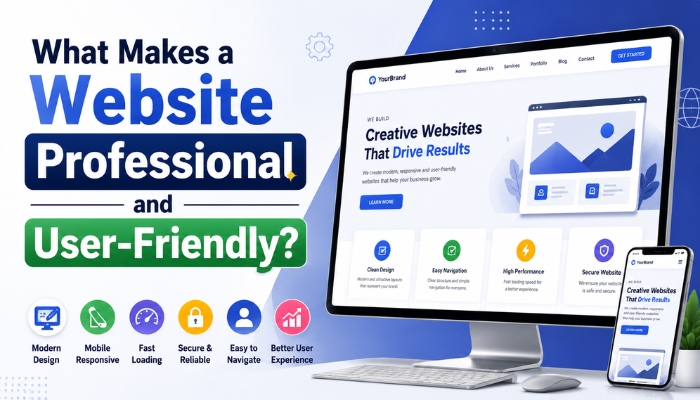
A website is often the first point of contact between a business and its potential customers. A professional website does more than simply look attractive. It should provide a smooth experience, communicate information clearly, load quickly, work across devices, and make it easy for visitors to take action.
A professional and user-friendly website combines effective design, clear navigation, responsive layouts, strong performance, security, and useful content. When these elements work together, businesses can create a better online experience and build greater trust with their visitors.
What Is a Professional and User-Friendly Website?
A professional website presents a business, brand, products, or services in a clear and organized way. At the same time, a user-friendly website makes it easy for visitors to find information and complete actions without confusion.
A well-designed website should help users:
- Understand what the business offers
- Find information quickly
- Navigate between pages easily
- Contact the business
- View products or services
- Complete forms or enquiries
- Use the website comfortably on different devices
Key Features of a Professional Website
1. Clean and Modern Website Design
The visual design of a website plays an important role in creating a strong first impression. A clean layout helps visitors focus on the most important information without unnecessary distractions.
A professional website design generally includes consistent typography, suitable spacing, clear sections, quality images, and a logical page structure.
The design should also represent the business's branding through consistent colors, fonts, graphics, and visual elements.
2. Easy and Clear Navigation
Visitors should not have to spend a lot of time searching for important information. Clear navigation helps users move through the website easily.
A website navigation menu may include:
- Home
- About Us
- Services
- Products
- Blog
- Contact Us
For larger websites, dropdown menus, search functions, categories, and breadcrumbs can make navigation easier.
3. Mobile-Friendly Design
A large number of people access websites through smartphones and tablets. Therefore, a website should work properly across different screen sizes.
Responsive web design allows website layouts to adapt to desktops, laptops, tablets, and mobile devices.
A mobile-friendly website should provide:
- Readable text
- Easy-to-use buttons
- Responsive images
- Simple mobile navigation
- Proper spacing between clickable elements
- Fast loading on mobile networks
4. Fast Website Loading Speed
Website speed can have a major impact on user experience. Visitors may leave a website if pages take too long to load.
A fast-loading website can provide a smoother browsing experience and help visitors reach important information more quickly.
Businesses can improve website performance by:
- Optimizing images
- Reducing unnecessary scripts
- Using efficient code
- Optimizing CSS and JavaScript
- Using suitable hosting
- Implementing browser caching
- Reducing unnecessary third-party resources
5. Clear and Useful Content
Good design is important, but visitors also need useful information. Website content should clearly explain what the business offers and how customers can benefit.
Professional website content should be:
- Easy to understand
- Accurate
- Well structured
- Relevant to the target audience
- Free from unnecessary repetition
Using headings, short paragraphs, bullet points, and tables can make longer pages easier to read.
6. Strong Call-to-Action Buttons
A professional website should make it clear what visitors can do next. This is where call-to-action buttons become important.
Examples include:
- Contact Us
- Get a Quote
- Request a Consultation
- Book an Appointment
- View Services
- Buy Now
- Request Information
CTA buttons should be easy to identify and placed naturally throughout relevant website sections.
7. Simple Contact Process
Businesses should make it easy for potential customers to contact them. A complicated contact process can discourage visitors from making an enquiry.
A professional website can provide multiple contact options, such as:
- Contact forms
- Phone numbers
- Email addresses
- WhatsApp communication
- Business address
- Social media profiles
Contact forms should only request information that is actually required.
8. Consistent Branding
A website should maintain a consistent brand identity across its pages. Consistency helps visitors recognize and remember the business.
Important branding elements include:
- Logo placement
- Brand colors
- Typography
- Photography style
- Icons
- Graphics
- Button styles
Consistent branding can make a website look more organized and professional.
9. Website Security
Security is an important part of a professional website, particularly for businesses that collect customer information.
A secure website should use appropriate measures such as:
- HTTPS and SSL/TLS
- Secure forms
- Strong authentication where required
- Regular software updates
- Secure hosting
- Access controls
- Regular backups
Website security helps protect business information and customer data while creating a safer browsing environment.
10. Search-Friendly Website Structure
A professional website should also have a well-organized structure that can be understood by both visitors and search engines.
Important SEO-friendly website elements can include:
- Descriptive page titles
- Useful meta descriptions
- Proper heading structure
- Descriptive URLs
- Optimized images
- Internal linking
- Mobile-friendly layouts
- Fast-loading pages
- Useful original content
A well-structured website can make it easier for search engines to understand the purpose and content of individual pages.
11. Accessible Website Design
User-friendly websites should be designed with different types of users in mind. Accessibility helps more people interact with a website effectively.
Businesses can improve accessibility by using:
- Readable font sizes
- Clear color contrast
- Descriptive image alt text
- Keyboard-friendly navigation
- Proper heading hierarchy
- Clearly labeled forms
- Descriptive link text
Accessibility should be considered during the design and development process rather than treated as an afterthought.
12. High-Quality Images and Visuals
Images can help communicate products, services, locations, processes, and brand identity. However, visuals should be relevant and optimized for website performance.
Businesses should avoid using too many large images that can slow down page loading.
Using properly compressed website images can help balance visual quality and performance.
13. Social Proof and Trust Elements
Visitors may want to know whether a business is reliable before contacting or purchasing from it.
Websites can include relevant trust-building elements such as:
- Customer reviews
- Testimonials
- Case studies
- Business experience
- Certifications
- Client logos
- Project portfolios
- Frequently asked questions
These elements can provide visitors with additional information when evaluating a business.
14. Well-Designed Forms
Forms are commonly used for enquiries, registrations, bookings, and contact requests. A complicated form can reduce the likelihood of completion.
A user-friendly form should:
- Use clear labels
- Have logical fields
- Minimize unnecessary questions
- Display helpful validation messages
- Work properly on mobile devices
- Clearly indicate successful submission
15. Useful Search Functionality
Search functionality can be particularly useful for websites with large amounts of information, such as ecommerce stores, property portals, educational websites, and content platforms.
A good search feature helps visitors find relevant information without navigating through multiple pages.
Professional Website vs Poorly Designed Website
| Professional Website | Poorly Designed Website |
|---|---|
| Clear navigation | Confusing navigation |
| Responsive design | Poor mobile experience |
| Fast loading | Slow page loading |
| Readable content | Unorganized content |
| Clear CTAs | Unclear next steps |
| Secure connection | Weak security practices |
| Consistent branding | Inconsistent visual style |
| Easy contact options | Difficult contact process |
Benefits of a Professional and User-Friendly Website
Builds Trust
A well-designed website can create a positive first impression and help visitors understand that the business takes its online presence seriously.
Improves User Experience
Simple navigation, readable content, responsive design, and fast loading can make browsing more comfortable.
Supports Lead Generation
Clear CTAs, enquiry forms, and easy contact options can help turn website visitors into potential customers.
Supports Search Visibility
A technically sound and well-structured website can provide a better foundation for search engine optimization.
Works Across Devices
Responsive design allows customers to access the website from desktops, smartphones, and tablets.
Improves Business Communication
Clear service pages, FAQs, contact forms, and communication options can help customers get the information they need before contacting the business.
How to Make a Website More User-Friendly
Businesses can improve their website usability by regularly reviewing how visitors interact with their pages.
Some useful practices include:
- Keep navigation simple.
- Use clear headings and short paragraphs.
- Make important information easy to find.
- Optimize pages for mobile devices.
- Improve website loading speed.
- Use clear call-to-action buttons.
- Reduce unnecessary form fields.
- Keep website content updated.
- Test forms and links regularly.
- Review website performance and user behavior.
Why Professional Website Development Matters
Creating a professional website requires more than choosing an attractive template. The website should combine web design, development, performance optimization, security, responsive design, content structure, and usability.
A professional website development company can help businesses plan the website structure, design the user interface, develop required functionality, optimize performance, implement security measures, and create a responsive experience across different devices.
For businesses with specific requirements, custom web development services can provide greater flexibility than a basic template-based website.
Conclusion
A professional and user-friendly website should be attractive, easy to navigate, fast, secure, responsive, and informative. Every element, from the navigation menu and page layout to contact forms and call-to-action buttons, should help visitors find information and complete their desired actions.
Businesses that invest in professional website design and development can create a stronger online presence while providing a better experience for customers. A website should not only represent the brand visually but also make it easy for visitors to understand the business, interact with its services, and take the next step.