
- Complete IT Solutions for a Digital World
WhatsApp API Integration for E-Commerce Order Notifications
Automate e-commerce order confirmations, shipping updates, and delivery alerts with WhatsApp API for better customer communication.
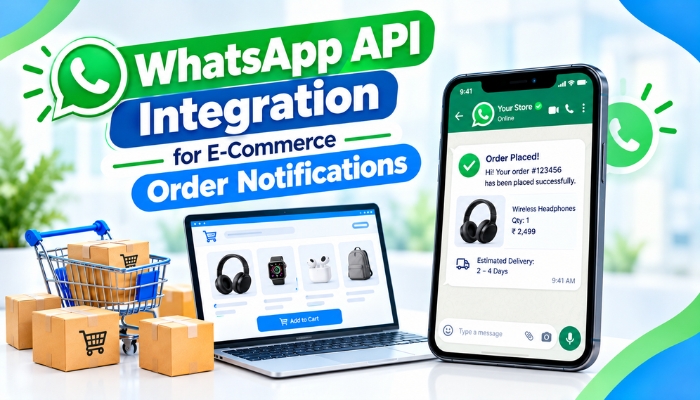
E-commerce businesses handle numerous orders every day, and keeping customers informed throughout the order journey is essential for building trust and improving the shopping experience. From order confirmation to shipping updates and delivery notifications, timely communication helps customers stay informed and reduces the need for repeated support enquiries.
WhatsApp API integration for e-commerce allows businesses to automate order-related messages and send updates directly to customers through WhatsApp. By connecting WhatsApp with an e-commerce website, order management system, or backend software, businesses can streamline communication and provide a more convenient customer experience.
Why E-Commerce Businesses Need Automated Order Notifications
Customers want to know whether their orders have been confirmed, dispatched, and delivered. Manually sending these updates can become difficult when order volumes increase.
Automated WhatsApp notifications help businesses communicate consistently without requiring staff to send every message individually. These notifications can be triggered by specific order events, making the process faster and more organized.
- Timely order updates: Keep customers informed at important stages of the purchase journey.
- Reduced support enquiries: Provide essential information without requiring customers to contact support.
- Improved customer experience: Make order communication more convenient and accessible.
- Less manual work: Automate repetitive messaging tasks for sales and support teams.
- Better customer engagement: Use a familiar communication channel to share relevant order information.
Important WhatsApp Notifications for E-Commerce Orders
An e-commerce business can configure different WhatsApp messages based on its order workflow and customer communication requirements.
| Notification Type | Purpose |
|---|---|
| Order Confirmation | Confirms that the order has been successfully placed. |
| Payment Confirmation | Informs customers when payment is received or verified. |
| Order Processing | Updates customers when the order is being prepared. |
| Shipping Notification | Shares dispatch details and tracking information when available. |
| Out for Delivery | Notifies customers when the shipment is approaching delivery. |
| Delivery Confirmation | Confirms that the order has been delivered. |
| Cancellation Update | Informs customers when an order is cancelled. |
| Refund Status | Provides updates when a refund is initiated or processed. |
These notifications should be configured according to the business's actual order status and available system data. This helps prevent inaccurate or premature messages.
How WhatsApp API Integration Works With an E-Commerce Website
Integrating WhatsApp with an e-commerce platform involves connecting the messaging service with the system that manages orders and customer information.
1. Connect the WhatsApp Business Platform
The business sets up an appropriate WhatsApp Business Platform solution through Meta or an authorized solution provider. This enables the system to send supported business messages using the required configuration.
2. Integrate the API With the Order Management System
The WhatsApp API is connected to the website, e-commerce platform, or order management software. This connection allows the system to access relevant order events, such as successful purchases, dispatches, and delivery updates.
3. Configure Automated Message Triggers
Developers define the conditions that trigger each notification. For example, a confirmed order can trigger an order confirmation message, while a shipment status update can trigger a dispatch notification.
4. Personalize Order Messages
Messages can include relevant details such as the customer's name, order number, item summary, delivery status, or tracking link. Only necessary information should be included to protect customer privacy.
5. Test and Monitor Notifications
Before launching the integration, businesses should test different order scenarios, failed payments, cancellations, and delayed status updates. Monitoring delivery status and API errors helps maintain reliable communication.
Essential Features of WhatsApp API Integration for E-Commerce
A well-planned WhatsApp API integration solution can support several useful features that make order communication easier to manage.
Automated Order Updates
Messages can be sent automatically when an order reaches a predefined status. This reduces repetitive tasks and keeps customers informed without manual intervention.
Real-Time Shipping Information
When connected to a supported shipping or logistics system, the integration can share tracking links and shipping updates as new information becomes available.
Personalized Message Templates
Businesses can configure approved message templates for different transactional events. Personalization can make notifications more useful while keeping the content clear and consistent.
Two-Way Customer Communication
Depending on the setup, customers may reply to messages to ask about an order or request assistance. Incoming messages can be routed to a support team or connected customer service system.
Integration With CRM and Business Software
Connecting WhatsApp with a CRM or other business software can help teams maintain organized customer records and coordinate sales and support activities.
Message Delivery Monitoring
Businesses can monitor supported message statuses and investigate failed notifications. This is useful for identifying integration errors and improving the reliability of automated communication.
Best Practices for E-Commerce WhatsApp Notifications
Automation works best when notifications are relevant, accurate, and easy to understand. Businesses should follow these practices when implementing the integration.
- Use approved message templates: Follow WhatsApp's current requirements for business-initiated messages.
- Obtain appropriate customer consent: Ensure customers have agreed to receive the relevant communications.
- Send useful updates only: Avoid unnecessary messages that may frustrate customers.
- Keep order data synchronized: Ensure notifications reflect the latest status in the order management system.
- Protect customer information: Use secure integrations and avoid exposing sensitive payment or personal details.
- Handle errors properly: Configure logging, retry rules, and fallback procedures for failed API requests.
- Measure performance: Review delivery rates, customer responses, and support enquiry trends to identify opportunities for improvement.
Businesses should also account for WhatsApp's current messaging policies, template requirements, and applicable conversation or message charges when planning their solution.
Common Challenges in WhatsApp API Integration
Although automated notifications can improve communication, an integration needs careful planning to work reliably.
Incorrect Order Status
If the website and notification system are not synchronized, customers may receive outdated information. Event validation and reliable data synchronization help reduce this risk.
Failed Messages
API errors, invalid phone numbers, or temporary service issues may prevent delivery. Monitoring and appropriate retry handling can help identify these problems.
Complex Platform Connections
Businesses using multiple sales channels or shipping providers may need additional integration logic to standardize order events.
Message Compliance
Businesses must manage consent, approved templates, and messaging rules correctly. Reviewing the implementation before launch helps avoid preventable issues.
Scaling Requirements
As order volumes grow, the system should be designed to process notifications efficiently without sending duplicate messages.
How Technology Xtend Can Help With WhatsApp API Integration
Technology Xtend provides technology solutions for businesses that want to improve their digital operations. A tailored WhatsApp API integration for e-commerce can connect order events with automated customer notifications, helping businesses organize transactional communication and reduce repetitive manual work.
Depending on the requirements, an integration may include order confirmation messages, shipping updates, delivery notifications, customer support workflows, and connections with existing business software. The appropriate setup depends on the e-commerce platform, order management process, and WhatsApp Business configuration.
Businesses should evaluate their existing systems and communication needs before choosing an integration approach.
Conclusion
WhatsApp API integration for e-commerce order notifications helps businesses deliver timely, organized, and convenient updates throughout the order journey. By connecting WhatsApp with an e-commerce website and order management system, businesses can automate routine communication, reduce repetitive support enquiries, and improve the customer experience.
With accurate order data, appropriate customer consent, approved message templates, and reliable error handling, automated WhatsApp notifications can become a valuable part of an e-commerce communication strategy.