
- Complete IT Solutions for a Digital World
WhatsApp API Integration with CRM for Better Customer Management
Discover how WhatsApp API integration with CRM helps businesses manage leads, automate follow-ups, organize customer data, and improve communication.
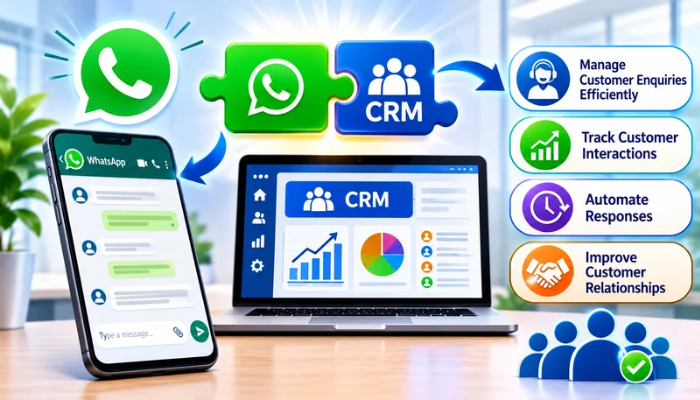
Businesses receive customer inquiries from different sources every day. Managing these inquiries, keeping track of conversations, following up with customers, and maintaining customer records can become difficult when everything is handled manually. This is where WhatsApp API integration with CRM software can help businesses improve their customer management process.
WhatsApp is widely used for business communication because customers are comfortable using it for questions, updates, and service-related conversations. When WhatsApp is connected with a CRM system, businesses can manage customer communication and information more efficiently.
What Is WhatsApp API Integration with CRM?
WhatsApp API integration with CRM is the process of connecting WhatsApp Business messaging with a Customer Relationship Management (CRM) system. It helps businesses manage customer conversations and information from a connected system.
A CRM system stores important customer details such as name, phone number, inquiry, communication history, status, and follow-up details. WhatsApp API helps businesses send and receive messages through supported business messaging features.
When both systems are connected, businesses can manage customer inquiries, send updates, and keep records of conversations without switching between different platforms for every task.
Why Businesses Need WhatsApp API with CRM
Managing customers manually can create several problems. Businesses may forget to contact a lead, miss important messages, lose customer details, or delay responses. These problems can affect customer satisfaction and sales opportunities.
WhatsApp API integration with CRM helps organize the customer communication process. It allows businesses to keep customer information organized, manage inquiries, and improve follow-up activities.
Some important benefits include:
- Better management of customer inquiries
- Faster responses to customer messages
- Organized customer information and communication records
- Automated notifications and follow-up messages
- Improved lead management process
- Better coordination between sales and support teams
How WhatsApp API and CRM Work Together
WhatsApp API and CRM software work together to make customer communication easier to manage. When a customer sends a message to a business on WhatsApp, the connected system can help record the inquiry and associate it with the relevant customer profile, depending on the integration setup.
The business team can then review customer details, understand the inquiry, and respond accordingly. Businesses can also set up automated messages for specific activities, such as inquiry acknowledgements, appointment reminders, or order updates.
This integration helps reduce repetitive manual work and keeps important customer information in one organized system.
Important Uses of WhatsApp API Integration with CRM
1. Managing Customer Leads
Businesses receive leads through websites, advertisements, social media, referrals, and other marketing channels. Managing all these leads manually can be time-consuming.
With CRM and WhatsApp API integration, businesses can organize customer inquiries, maintain lead records, and communicate with potential customers through WhatsApp. Sales teams can check inquiry details and track follow-up activities more easily.
2. Automated Customer Follow-Ups
Following up with customers at the right time is important for businesses. A customer may ask about a service today but make a decision after a few days.
CRM systems can help businesses schedule follow-up activities, while WhatsApp API can be used to send eligible automated messages based on the configured workflow. This helps businesses maintain communication without depending entirely on manual reminders.
3. Appointment and Booking Reminders
Businesses such as clinics, service providers, consultants, and training institutes often manage appointments and bookings.
WhatsApp API integration with CRM can help send appointment confirmation messages, reminders, and schedule-related updates. Customers can receive important information directly on WhatsApp, helping them remember their appointments.
4. Customer Support Management
Customer support teams receive questions about products, services, payments, orders, and other issues. When communication records are scattered across different platforms, resolving customer problems can become difficult.
A connected CRM system can help support teams access customer details and previous interactions. WhatsApp can serve as a communication channel, making it easier to handle customer queries and maintain conversation records.
5. Order and Payment Updates
Online businesses need to keep customers informed about their orders and payments. Customers often contact businesses to ask whether their payment was received or whether their order has been processed.
Businesses can use WhatsApp API integrated with CRM or other connected systems to send payment confirmation, order processing, invoice, and delivery-related notifications, depending on their integration setup.
6. Customer Feedback and Review Requests
Customer feedback helps businesses understand their service quality and identify areas that need improvement.
After a purchase, appointment, or completed service, businesses can use WhatsApp API to send feedback requests to customers. CRM can help maintain feedback records and identify customers who have already received a request.
This makes it easier for businesses to organize customer feedback and improve their services.
Benefits of WhatsApp API Integration for Sales Teams
Sales teams need to manage leads, communicate with potential customers, and keep track of conversations. When customer information is properly organized, sales representatives can understand customer requirements and provide more relevant responses.
WhatsApp API integration with CRM can help sales teams:
- Keep track of customer inquiries and lead status.
- Manage follow-up activities more efficiently.
- Access previous customer communication when available.
- Send relevant business messages and updates.
- Reduce the chances of missing important inquiries.
- Improve coordination among sales team members.
These benefits can help businesses create a more organized sales process and improve the way they handle potential customers.
How WhatsApp API Integration Saves Time
Manual customer communication requires employees to perform many repetitive tasks, including sending reminders, updating records, checking inquiries, and sharing information.
With CRM and WhatsApp API integration, some of these activities can be automated. Businesses can create workflows for specific actions, such as sending an acknowledgement when a new inquiry is recorded or sending a reminder before an appointment.
Automation saves time on repetitive tasks and allows employees to focus more on customer requirements, sales activities, and problem-solving.
Why CRM Integration Is Better Than Managing WhatsApp Messages Manually
Using WhatsApp manually may work for small numbers of conversations, but it becomes difficult when a business receives many customer messages every day.
A CRM-integrated system provides better organization and visibility into customer communication.
| Manual WhatsApp Management | WhatsApp API with CRM |
|---|---|
| Customer details are managed separately. | Customer information can be organized in CRM records. |
| Follow-ups depend on employees remembering them. | Follow-up activities can be scheduled or automated. |
| Messages may be difficult to track across team members. | Connected workflows can help manage conversations and assignments. |
| Repeated messages are sent manually. | Eligible notifications can be automated. |
| Customer history may be scattered. | Communication records can be linked with customer profiles. |
| Managing a large number of inquiries becomes difficult. | CRM tools can help organize and manage inquiry volume. |
Things to Consider Before Integrating WhatsApp API with CRM
Before connecting WhatsApp API with CRM software, businesses should understand their communication requirements and choose the right integration setup.
Some important points to consider include:
- CRM Compatibility: Make sure the CRM system supports WhatsApp integration or can connect through APIs.
- Automation Requirements: Identify which messages and customer activities should be automated.
- Customer Data: Decide which customer details and communication records need to be stored.
- Team Access: Set suitable permissions for employees who manage customer conversations.
- Message Templates: Prepare suitable WhatsApp message templates for notifications and business communication where required.
- Customer Consent: Follow WhatsApp messaging rules and applicable privacy requirements when contacting customers.
Proper planning helps businesses create an integration that supports their daily operations and customer management needs.
Conclusion
WhatsApp API integration with CRM is a useful solution for businesses that want to improve customer communication and manage inquiries more efficiently. It connects messaging with customer records, helping businesses organize leads, follow-ups, support requests, appointment reminders, and notifications.
By reducing manual tasks and keeping customer information organized, businesses can save time, improve team coordination, and provide a better customer experience.
Technology Xtend helps businesses with software development, API integration, business automation, and customized digital solutions to support their business processes and customer management requirements.