
- Complete IT Solutions for a Digital World
WhatsApp Automation Features That Save Time
Discover the best WhatsApp Automation features that help businesses save time, automate customer communication, and improve productivity.
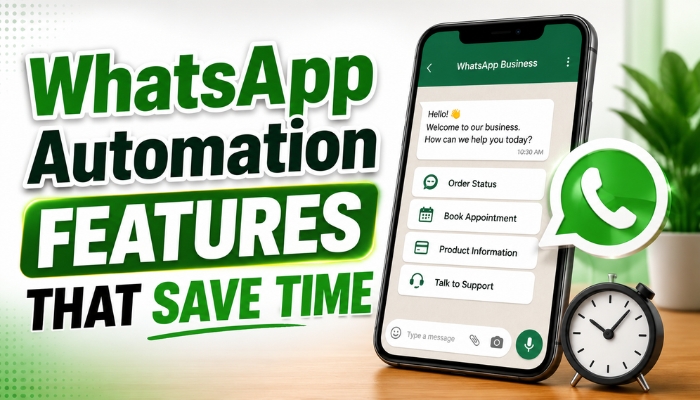
In today's fast-paced business environment, customers expect quick responses and seamless communication. Managing hundreds of customer conversations manually can consume valuable time and reduce team productivity. This is where WhatsApp Automation becomes a powerful solution for businesses looking to improve communication while reducing manual work.
Using the WhatsApp Business API, businesses can automate repetitive tasks such as replying to customer enquiries, sending appointment reminders, confirming orders, collecting leads, and providing instant support. Whether you operate an ecommerce store, educational institute, healthcare clinic, real estate agency, finance company, or service-based business, implementing WhatsApp Automation Features helps improve efficiency, enhance customer satisfaction, and streamline daily operations.
By automating customer interactions, businesses can save valuable time, reduce response delays, improve workflow management, and allow employees to focus on more strategic tasks that contribute to business growth.
What is WhatsApp Automation?
WhatsApp Automation is the process of using the WhatsApp Business API to automate customer communication, repetitive messaging tasks, lead management, notifications, and business workflows. Instead of manually responding to every customer message, businesses can configure automated responses and workflows that provide instant assistance.
Automation enables organizations to manage a large number of conversations simultaneously while maintaining consistent communication. It also reduces human errors, improves customer experiences, and increases overall business productivity.
Modern businesses integrate WhatsApp Automation with CRM software, websites, ecommerce platforms, mobile applications, and customer support systems to create a centralized communication process.
Why Businesses Should Use WhatsApp Automation
Customers today expect businesses to respond instantly regardless of the time of day. Delayed responses can result in lost sales opportunities and lower customer satisfaction. WhatsApp Automation helps businesses provide quick, reliable, and professional communication without increasing workload.
By automating repetitive conversations and routine tasks, businesses can improve operational efficiency while ensuring every customer receives timely assistance.
Benefits of WhatsApp Automation
- Instant customer responses
- Reduced manual workload
- Improved customer satisfaction
- Automated lead management
- 24/7 customer support
- Faster communication
- Business process automation
- CRM integration
- Higher employee productivity
- Better customer engagement
Top WhatsApp Automation Features That Save Time
1. Automated Welcome Messages
One of the most valuable WhatsApp Automation Features is the ability to automatically welcome customers when they initiate a conversation. Instead of waiting for a support executive, customers receive an instant greeting along with useful information about the business.
Welcome messages create a positive first impression and help businesses maintain professional communication even outside business hours.
Common Welcome Message Uses
- Greeting new customers
- Introducing business services
- Sharing office hours
- Providing menu options
- Directing customers to the correct department
- Explaining available support services
2. Frequently Asked Questions (FAQ) Automation
Many businesses receive the same customer questions every day. WhatsApp FAQ Automation automatically responds to common enquiries without requiring staff intervention.
This saves time for customer support teams while ensuring customers receive accurate and immediate information.
| Common Customer Question | Automated Response |
|---|---|
| Business Hours | Automatically share operating hours |
| Product Pricing | Provide pricing information instantly |
| Delivery Information | Share delivery timelines |
| Payment Methods | List available payment options |
| Service Details | Explain available services automatically |
3. Automated Lead Capture
Lead Capture Automation helps businesses collect customer information directly through WhatsApp conversations. Instead of manually recording customer details, automation stores important information instantly for future follow-ups.
This feature improves lead management while reducing administrative work for sales teams.
Information Captured Automatically
- Customer name
- Phone number
- Email address
- Business requirements
- Preferred service
- Location
- Lead source
- Customer enquiry history
4. Smart Chat Routing
Smart Chat Routing automatically sends customer conversations to the appropriate department based on the customer's enquiry. This eliminates unnecessary message transfers and helps customers reach the right team faster.
Businesses can route conversations to sales representatives, customer support executives, technical teams, billing departments, or appointment coordinators using predefined automation rules.
Departments That Can Receive Automated Chats
- Sales Team
- Customer Support
- Technical Assistance
- Billing Department
- Appointment Desk
- Account Management
5. Automated Appointment Scheduling
Businesses that rely on appointments can automate the entire booking process using WhatsApp Automation. Customers can schedule appointments, receive confirmations, get reminder messages, reschedule bookings, or cancel appointments directly through WhatsApp.
This feature significantly reduces manual scheduling while improving customer convenience and minimizing missed appointments.
Appointment Automation Features
- Appointment booking
- Booking confirmation
- Reminder notifications
- Rescheduling requests
- Appointment cancellation
- Calendar synchronization
- Customer notifications
6. Automated Order Confirmation and Tracking
WhatsApp Automation allows businesses to automatically send order confirmations, shipping updates, dispatch notifications, and delivery status messages. Customers receive real-time updates throughout the purchasing process without contacting customer support.
This feature improves transparency, reduces customer enquiries, and enhances the overall shopping experience by keeping customers informed at every stage.
Order Automation Features
- Order confirmation messages
- Shipping notifications
- Delivery tracking updates
- Order cancellation alerts
- Return request updates
- Delivery confirmation
7. Automated Payment Reminders
Businesses can use WhatsApp Automation to send payment reminders before or after invoice generation. Automated reminders help improve payment collection while reducing manual follow-ups from finance teams.
Customers receive timely notifications about due dates, pending invoices, subscription renewals, and successful payment confirmations.
Common Payment Notifications
- Invoice generation
- Payment due reminders
- Subscription renewals
- Membership renewals
- Payment confirmation
- Outstanding balance alerts
8. CRM Integration
One of the most valuable WhatsApp Automation Features is seamless integration with Customer Relationship Management (CRM) software. CRM integration centralizes customer information and helps businesses manage conversations more effectively.
Sales teams can view customer history, previous interactions, follow-up schedules, and purchase records without switching between multiple systems.
CRM Integration Benefits
- Automatic lead synchronization
- Customer history tracking
- Sales pipeline management
- Follow-up reminders
- Customer segmentation
- Personalized communication
- Performance reporting
9. Broadcast Messaging Automation
Broadcast Messaging Automation enables businesses to send approved messages to multiple customers at the same time. Marketing teams can schedule promotional campaigns, product launches, announcements, and festive greetings without sending messages individually.
Automated broadcasts save time while maintaining consistent communication with customers.
Broadcast Campaign Examples
- Product launches
- Festival greetings
- Discount offers
- New service announcements
- Business updates
- Event invitations
- Customer awareness campaigns
10. Real-Time Customer Notifications
Real-Time Notifications ensure customers stay informed about important updates related to their purchases, bookings, payments, and services. Automated notifications reduce uncertainty and improve customer trust.
Businesses can send instant notifications whenever an important event occurs without requiring manual intervention.
Real-Time Notification Examples
- Order confirmation
- Payment success alerts
- Booking confirmation
- Shipping updates
- Delivery notifications
- Account activity alerts
- Service completion messages
Industries That Benefit from WhatsApp Automation
WhatsApp Automation Solutions help organizations across multiple industries improve customer communication, automate workflows, and increase operational efficiency.
| Industry | Popular Automation Use Cases |
|---|---|
| Ecommerce | Order confirmations, delivery tracking, customer support |
| Healthcare | Appointment scheduling and patient reminders |
| Education | Admission enquiries and student notifications |
| Real Estate | Lead management and property enquiries |
| Finance | Payment reminders and account notifications |
| Travel & Hospitality | Booking confirmations and travel updates |
| Retail | Promotional campaigns and customer engagement |
WhatsApp Automation vs Manual Communication
| Feature | Manual Communication | WhatsApp Automation |
|---|---|---|
| Response Time | Slow | Instant |
| Lead Capture | Manual | Automatic |
| Appointment Booking | Manual | Automated |
| Payment Reminders | Manual | Scheduled |
| Customer Notifications | Manual | Real-Time |
| CRM Integration | Limited | Yes |
| Business Productivity | Moderate | High |
Best Practices for WhatsApp Automation
To maximize the benefits of WhatsApp Automation, businesses should implement well-planned workflows and regularly optimize their communication strategy.
- Create simple and effective automation workflows.
- Personalize automated customer messages.
- Integrate WhatsApp with CRM software.
- Use approved message templates.
- Monitor automation performance regularly.
- Update automated responses as business needs change.
- Protect customer data and privacy.
- Test automation workflows before deployment.
- Track customer engagement metrics.
- Continuously improve customer communication.
Conclusion
WhatsApp Automation Features That Save Time empower businesses to automate repetitive tasks, improve customer engagement, and streamline daily operations. Features such as automated welcome messages, smart chat routing, CRM integration, appointment scheduling, payment reminders, broadcast messaging, and real-time notifications enable organizations to deliver faster and more personalized customer experiences.
By implementing a professional WhatsApp Automation Solution, businesses can increase productivity, reduce operational costs, improve customer satisfaction, and build scalable communication systems that support long-term business growth.