
- Complete IT Solutions for a Digital World
Why Website Accessibility Matters for All Users
Learn how accessible website design makes websites easier for everyone to use.
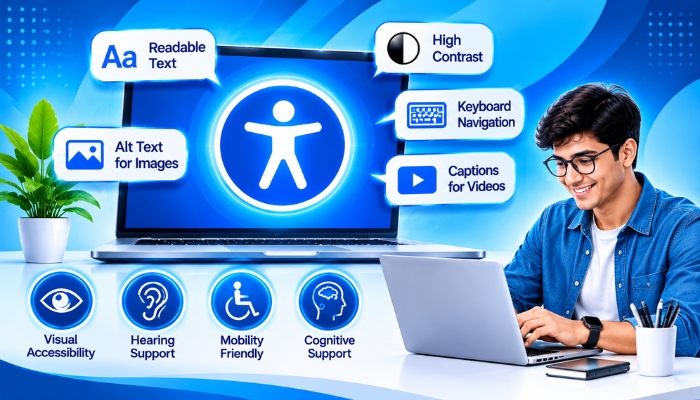
A website should be easy to use for everyone, regardless of their age, device, or physical abilities. People visit websites to find information, purchase products, book services, or contact a business. However, some websites are difficult to use because of small text, poor colour contrast, confusing navigation, or missing image descriptions.
Website accessibility focuses on making websites usable for people with different abilities, including those with visual, hearing, physical, or learning difficulties. It also improves the browsing experience for people who may have temporary limitations, such as an injured hand or poor internet connection.
With proper accessible website design, businesses can make their online platforms easier to navigate, understand, and use. It also helps create an inclusive digital experience for a wider audience.
What Is Website Accessibility?
Website accessibility means designing and developing a website so that as many people as possible can use it comfortably. It includes making website content easy to read, navigation simple to understand, and important features available through different methods.
For example, a person with a visual impairment may use a screen reader to understand website content. Someone who cannot use a mouse may navigate the website using a keyboard.
An accessible website considers these different needs while providing a smooth browsing experience. This is an important part of modern web development services and user-friendly website planning.
Why Website Accessibility Matters
1. Makes Websites Useful for More People
Every visitor should be able to access important website information without unnecessary difficulties. Clear text, readable fonts, proper spacing, and simple navigation make websites easier to use.
When businesses focus on accessible web design, they make their services and information available to a wider audience. An inclusive website also allows people with different abilities to explore products and services more comfortably.
2. Improves the User Experience
Website visitors prefer pages that are easy to understand and navigate. Complicated menus, unclear buttons, and poorly organised content can make people leave a website.
Website usability and accessibility work together to create a better browsing experience. Features such as clear headings, descriptive links, and consistent layouts make browsing more comfortable.
3. Supports People Who Use Assistive Technology
Some people depend on assistive technology to browse websites. These tools help users interact with website content in different ways.
- Screen readers: Read website content aloud for people with visual impairments.
- Keyboard navigation: Allows users to move through website elements without a mouse.
- Screen magnifiers: Enlarge website content for easier reading.
- Voice control: Helps users operate websites through spoken commands.
- Video captions: Display spoken content as text for people who cannot hear the audio clearly.
A website should be designed with screen reader compatibility, keyboard access, and other assistive tools in mind.
4. Helps Businesses Reach a Wider Audience
An accessible website can make it easier for more people to explore a company's products, services, and information. When visitors can use a website comfortably, they may be more likely to contact the business or complete an online purchase.
Website accessibility for businesses helps create a more inclusive online presence and reduces barriers that may prevent potential customers from using a website.
5. Makes Website Content Easier to Understand
Simple language, meaningful headings, clear instructions, and organised paragraphs help visitors understand information.
Using readable website content, descriptive links, and properly structured pages makes information easier to find. These improvements are useful for everyone, including people who are unfamiliar with a topic or browsing in a hurry.
Important Features of an Accessible Website
A good accessible website design includes several features that make browsing easier for different users. These features should be considered during website planning, design, and development.
| Accessibility Feature | Why It Matters |
|---|---|
| Readable Text | Helps visitors understand website information comfortably. |
| Colour Contrast | Makes text and important elements easier to identify. |
| Image Alt Text | Provides descriptions of meaningful images for screen readers. |
| Keyboard Navigation | Allows users to access website features without a mouse. |
| Video Captions | Help people understand video content without relying only on audio. |
| Clear Navigation | Helps visitors find pages and information easily. |
| Accessible Forms | Makes it easier to complete and submit website forms. |
| Responsive Web Design | Improves website usability across different screen sizes. |
Common Website Accessibility Problems
Some websites have design or development issues that make them difficult for certain visitors to use. Identifying these problems is an important step towards improving web accessibility.
1. Poor Colour Contrast
When text and background colours are too similar, visitors may struggle to read the content. Businesses should choose suitable colour combinations that make text easy to see. Proper website colour contrast improves readability.
2. Missing Image Descriptions
Images without suitable alternative text (alt text) may not communicate their meaning to people using screen readers. Adding meaningful image descriptions helps explain important visual information.
3. Forms Without Clear Labels
Contact forms, registration forms, and checkout pages should have clear labels and instructions. Accessible website forms help visitors understand what information they need to enter in each field.
4. Difficult Website Navigation
Menus with unclear names or complicated structures can make it difficult for visitors to find the right page. Accessible website navigation should be simple, consistent, and easy to understand.
5. Videos Without Captions
Videos that contain speech without captions can create difficulties for people who are deaf or hard of hearing. Adding video captions and transcripts helps make multimedia content more accessible.
How to Make a Website More Accessible
Businesses can improve website accessibility by following practical website design and development steps.
- Use clear and readable fonts with suitable text sizes.
- Maintain sufficient contrast between text and background colours.
- Add descriptive alt text to meaningful images.
- Make sure important website functions work with keyboard navigation.
- Use proper HTML heading structures to organise content.
- Add captions and transcripts to relevant video and audio content.
- Provide clear labels and helpful error messages in forms.
- Keep menus and navigation elements simple and consistent.
- Use responsive website design so pages work across different screen sizes.
- Test pages using screen readers and other assistive technologies.
- Ensure buttons and links have clear names and visible focus indicators.
Website Accessibility and Business Benefits
Investing in website accessibility improvements can support both website visitors and businesses. It helps create a website that is easier to use and more welcoming to different audiences.
| For Website Visitors | For Businesses |
|---|---|
| Easier access to information | Ability to serve a wider audience |
| More comfortable browsing | Better customer experience |
| Simpler website navigation | More user-friendly website design |
| Better access through assistive tools | A more inclusive digital presence |
| Clearer forms and instructions | Fewer barriers during customer interactions |
Website Accessibility Standards and Guidelines
The Web Content Accessibility Guidelines (WCAG), developed by the World Wide Web Consortium (W3C), provide internationally recognised recommendations for making web content more accessible.
WCAG is based on four important principles:
- Perceivable: Users should be able to access information through the senses available to them.
- Operable: Website functions should be usable through different input methods, including a keyboard.
- Understandable: Content and website behaviour should be clear and predictable.
- Robust: Website content should work reliably with different browsers and assistive technologies.
Following these web accessibility standards can help businesses identify accessibility gaps and improve their websites. Organisations should also check the accessibility requirements that apply to their industry and location.
Why Accessibility Should Be Part of Website Development
Website accessibility should be considered from the beginning of the website development process. Adding accessibility features during the design and development stages can make it easier to build a website that supports different user needs.
A professional website development company can consider accessible layouts, proper HTML structure, readable content, keyboard-friendly features, and responsive design while creating a website.
Regular website accessibility testing is also important because website content, design, and features may change over time. Testing helps identify problems and maintain a better experience for visitors.
Conclusion
Website accessibility plays an important role in creating a better online experience for everyone. Readable content, clear navigation, keyboard support, image descriptions, and accessible forms help people use websites with fewer difficulties.
Businesses should consider accessible website design, inclusive web development, and usability during the website planning process instead of treating accessibility as a last-minute improvement. A well-planned accessible website can support more users, improve customer experience, and build a more inclusive digital presence.
Technology Xtend focuses on creating user-friendly website solutions that support business requirements and provide a smooth browsing experience. By giving attention to website accessibility, businesses can make their websites more useful for a wider range of visitors.